About Diet & Meal Planner | Macro Tracker
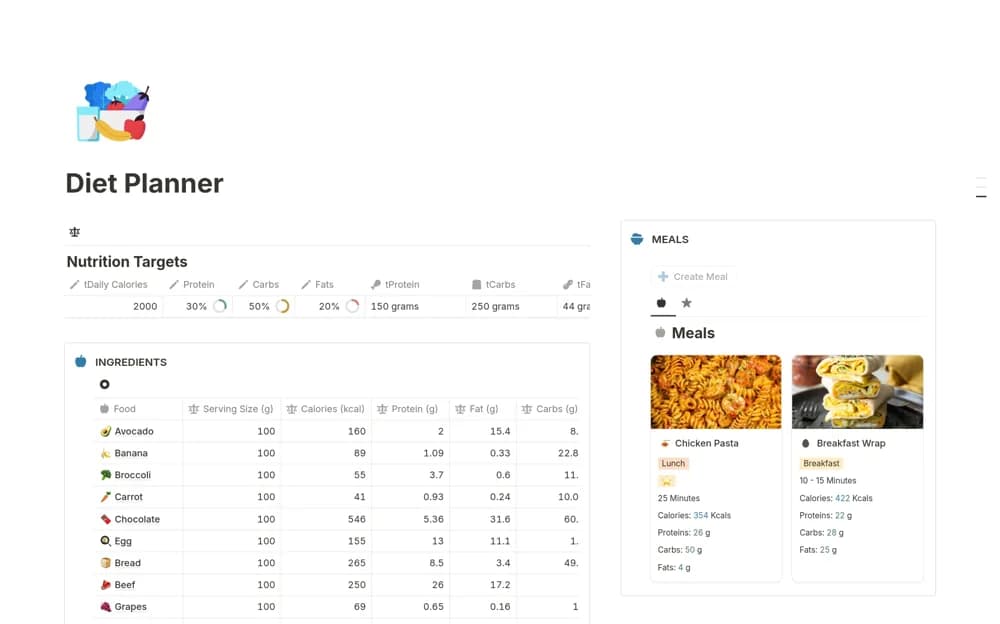
A meal-planning workspace with ingredient records and calculated calorie and macronutrient totals.
What’s included
- Daily calorie and macro goals
- Ingredient-based meal calculations
- A reusable meal database
How to use it in practice
Test a familiar meal using reliable ingredient quantities and nutrition information. Compare the calculation with your source figures, then save meals you actually prepare. Use targets appropriate to your circumstances and seek qualified guidance where dietary changes affect a health condition.
Set it up in your workspace
- Open the original Notion Marketplace listing and add the template to your chosen workspace while signed in. Keep its example records until you understand how the pages connect.
- Test a familiar meal using reliable ingredient quantities and nutrition information.
- Try one complete example before adding a large backlog. Check that its views and any calculations show what you expect, then replace the sample content with your own.
Who it suits and what to consider
People organizing meals around nutritional targets they have already established. Calculated totals depend on input accuracy; the template is not an individualized dietary assessment.