About Packing Checklist database
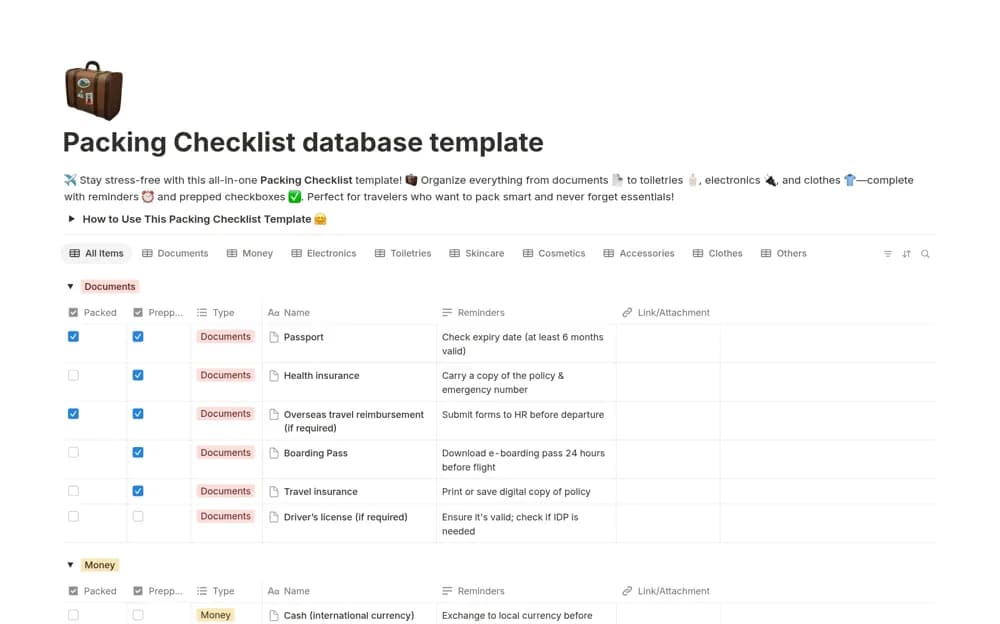
A categorized packing database with separate prepared and packed checks, reminder notes, and attachment links.
What’s included
- Prefilled packing categories
- Prepped and Packed checklists
- Reminder notes and a link or attachment column
How to use it in practice
Adapt the list to your trip and mark items prepared only when they are ready to pack. Use the second check when they are actually in the bag. Review sensitive attachments and keep important travel documents available through an appropriate secure backup.
Set it up in your workspace
- Open the original Notion Marketplace listing and add the template to your chosen workspace while signed in. Keep its example records until you understand how the pages connect.
- Adapt the list to your trip and mark items prepared only when they are ready to pack.
- Try one complete example before adding a large backlog. Check that its views and any calculations show what you expect, then replace the sample content with your own.
Who it suits and what to consider
Travelers who want to distinguish preparation from items already in their bag. Reminder notes are organizational prompts; confirm actual entry, document, and carrier requirements separately.