About Student Roster Database
A roster is useful when its fields support the work you actually need to do. This template offers a database structure to start from. Review permissions and collect only the information your role requires, particularly when working with younger students.
What’s included
- Student records with class, enrollment status, contact details, and join date
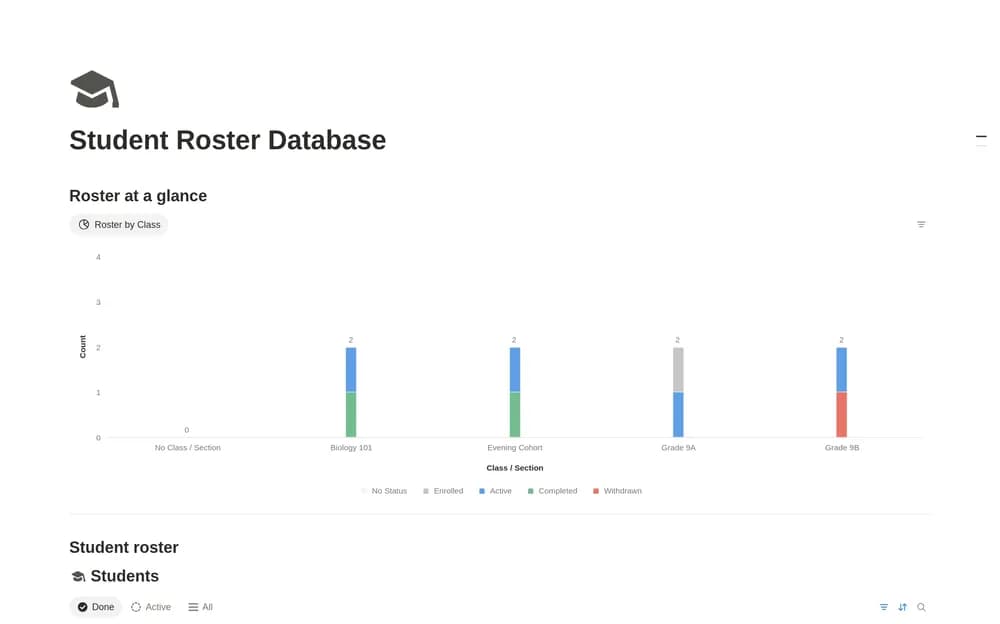
- Automatic student IDs and a class-headcount chart
- A New Student page template, sample records, and property descriptions
How to use it in practice
Create a sample learner and check how class and status affect the roster view. Use consistent enrollment states and review the contact details before each term. Keep completed or withdrawn learners distinguishable from current attendees. Restrict access according to who genuinely needs the information.
Set it up in your workspace
- Open the original Notion Marketplace listing and add the template to your chosen workspace while signed in. Keep its example records until you understand how the pages connect.
- Use sample records to test the structure. Check access before entering any personal student information.
- Try one complete example before adding a large backlog. Check that its views and any calculations show what you expect, then replace the sample content with your own.
Who it suits and what to consider
Educators and organizers maintaining appropriate student records. A focused roster. Attendance logs, assignment scores, and weighted grades belong to the creator’s larger Attendance & Grading System.