About The Parental Leave Planner
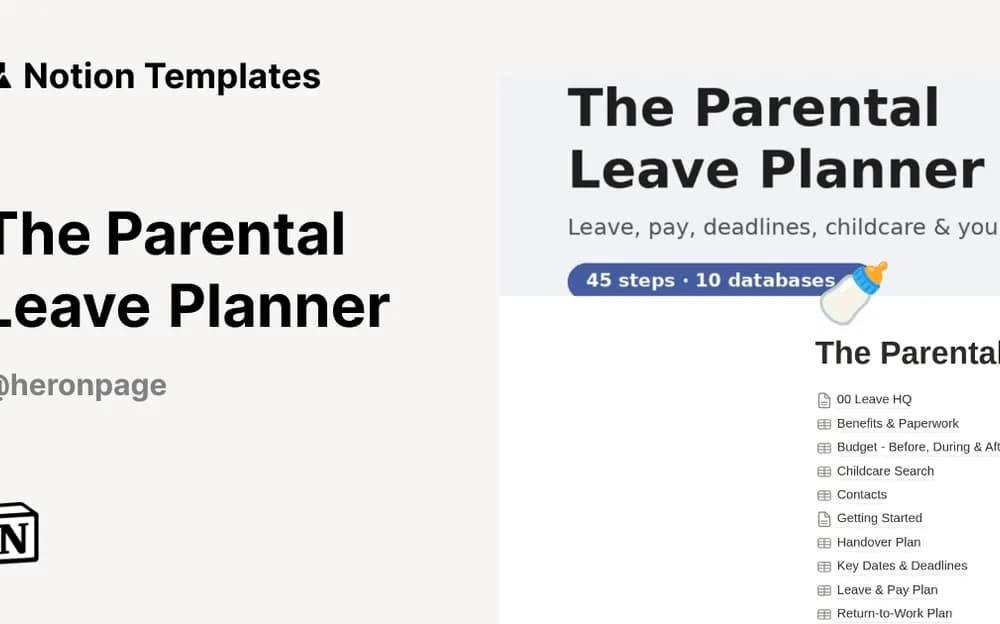
Plan parental leave in Notion, from employer notice and leave pay to the work handover, childcare search, budget changes, and the return to work.
What’s included
- Dashboard with key facts and upcoming deadlines
- 45-step roadmap from before telling work to the first months back
- Week-by-week leave and pay plan for both parents
- Handover plan with cover, out-of-office, and keep-in-touch days
- Budget, benefits checklist, childcare search, and return-to-work plan
How to use it in practice
Use the Getting Started questions to look up your employer’s policy and local leave rules, then enter the deadlines you find. Sketch a first version of the week-by-week plan for both parents with the pay percentage for each period. Compare the during-leave budget with your current spending. Begin the handover plan with the projects a colleague would need to cover.
Set it up in your workspace
- Open the original Notion Marketplace listing and add the template to your chosen workspace while signed in. Keep its example records until you understand how the pages connect.
- Use the Getting Started questions to look up your employer’s policy and local leave rules, then enter the deadlines you find.
- Try one complete example before adding a large backlog. Check that its views and any calculations show what you expect, then replace the sample content with your own.
Who it suits and what to consider
Expecting parents, either partner, who need to coordinate leave paperwork, income, and a work handover. Leave entitlements differ by country and employer, so every rule and deadline has to be researched and entered by you. It is not legal, financial, or medical advice.