About The Structured Wine Tasting Journal
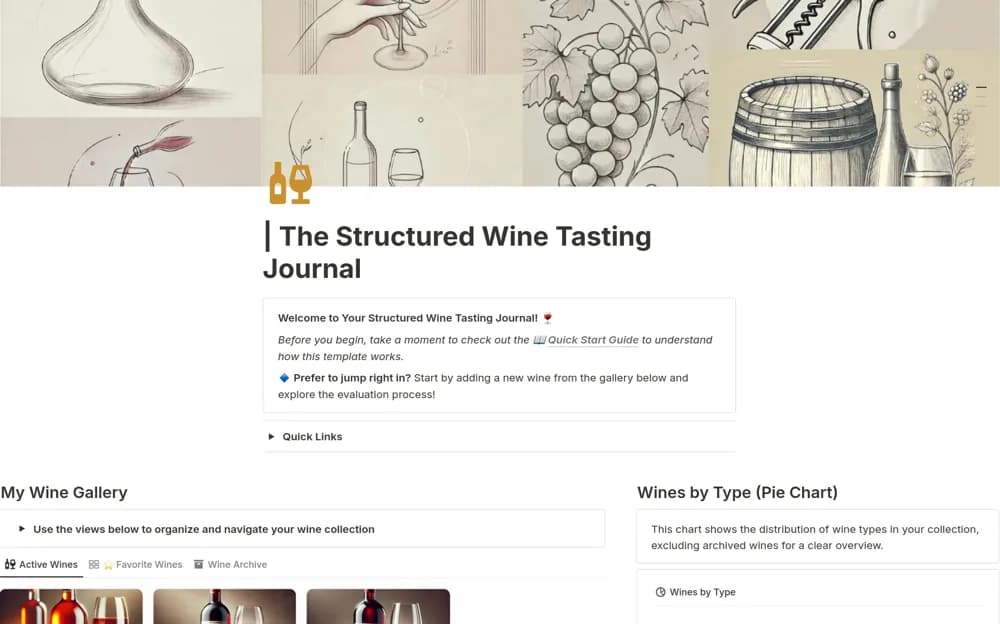
Record wine tastings in Notion with bottle details, guided sensory notes, personal ratings, calculated scores, and filtered views of favorites.
What’s included
- Vintage, winery, origin, and price records
- Appearance, aroma, and taste prompts
- Personal enjoyment ratings and calculated scores
- Country, type, rating, and price filters
How to use it in practice
Add the bottle details before writing your impressions of appearance, aroma, and taste. Use the suggested descriptors only when they match your experience, then add a personal enjoyment rating. Review several entries together to find preferences without treating the calculated score as an objective verdict on the wine.
Set it up in your workspace
- Open the original Notion Marketplace listing and add the template to your chosen workspace while signed in. Keep its example records until you understand how the pages connect.
- Add the bottle details before writing your impressions of appearance, aroma, and taste.
- Try one complete example before adding a large backlog. Check that its views and any calculations show what you expect, then replace the sample content with your own.
Who it suits and what to consider
Wine enthusiasts and students who want to remember what they tasted and why they liked it. The journal organizes personal observations. It does not authenticate a bottle, establish market value, or award a recognized tasting qualification.