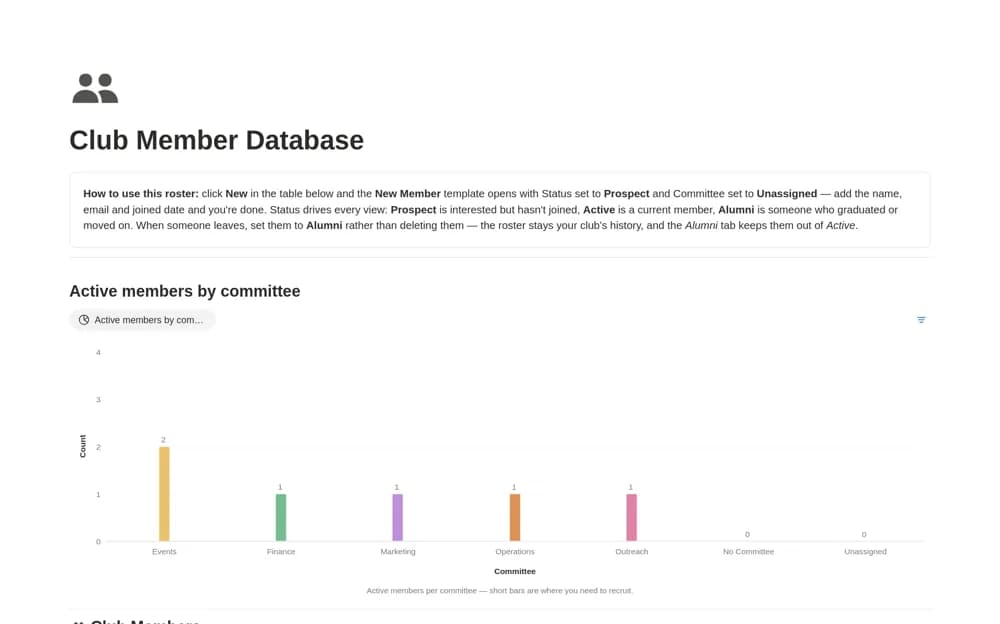
About Club Member Database
Maintain a student-club roster in Notion with committee roles, join dates, active and alumni status, and calculated membership length.
What’s included
- Member contact and join-date records
- Committee and role classifications
- Prospect, active, and alumni views
- Calculated membership length
How to use it in practice
Add current officers and confirm their roles before importing the full membership list. Use status to separate prospective, active, and former members, then review unassigned committee records. At handover, explain the conventions to the next officer so membership history is retained without cluttering the current roster.
Set it up in your workspace
- Open the original Notion Marketplace listing and add the template to your chosen workspace while signed in. Keep its example records until you understand how the pages connect.
- Add current officers and confirm their roles before importing the full membership list.
- Try one complete example before adding a large backlog. Check that its views and any calculations show what you expect, then replace the sample content with your own.
Who it suits and what to consider
Student club officers keeping a reliable membership record across committee changes. Membership length comes from the entered join date. It does not establish voting eligibility or automatically collect dues.