About Coding Journal & Dev Knowledge Base for Engineers
Connect coding sessions, solved problems, projects, and technology notes in Notion, with a clear place to record where to resume work.
What’s included
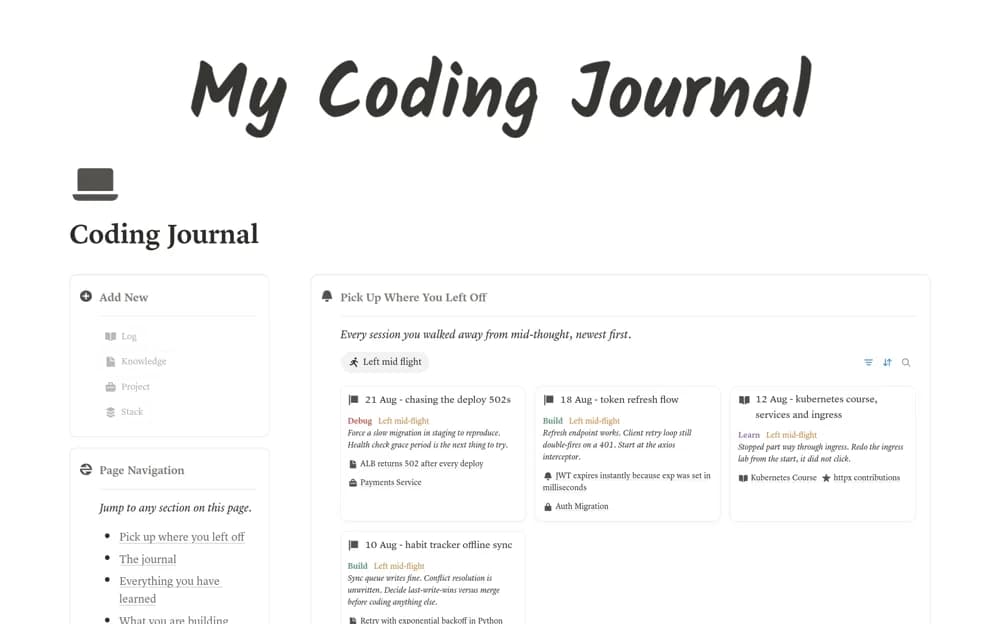
- Coding-session log with resume notes
- Knowledge records for fixes and decisions
- Project records with repository links
- Technology-specific reference views
How to use it in practice
Log one development session and record the exact error text when a problem appears. Save the eventual fix with its environment and reasoning, then tag the relevant technology. Before stopping work, write the next concrete step so you can resume without reconstructing the entire session.
Set it up in your workspace
- Open the original Notion Marketplace listing and add the template to your chosen workspace while signed in. Keep its example records until you understand how the pages connect.
- Log one development session and record the exact error text when a problem appears.
- Try one complete example before adding a large backlog. Check that its views and any calculations show what you expect, then replace the sample content with your own.
Who it suits and what to consider
Software engineers keeping a personal development log and searchable explanations of past fixes. Sample technical fixes demonstrate the structure. Check their versions and assumptions before applying them to your own codebase.