About Finals Week Study Plan
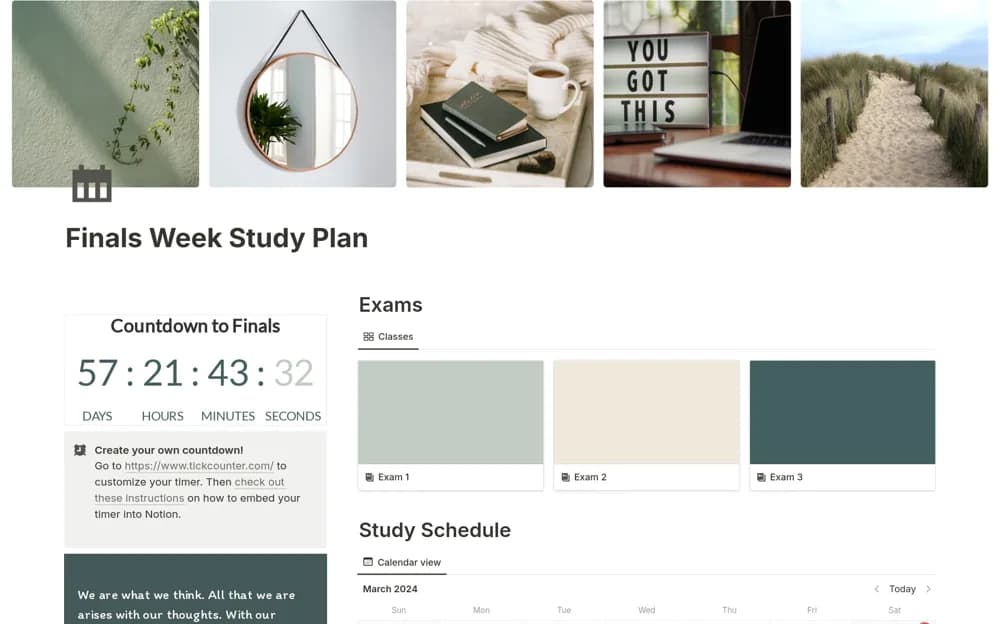
A finals preparation planner with time blocks, exam pages, tasks, and a customizable countdown.
What’s included
- Study time blocking
- Task list and dedicated exam-detail pages
- Countdown customization and Notion Calendar usage guidance
How to use it in practice
Enter confirmed exam times and the topics that need practice. Allocate realistic study blocks with breaks and review what you completed each evening. Test any calendar connection with one event and verify time zones before relying on it for an exam reminder.
Set it up in your workspace
- Open the original Notion Marketplace listing and add the template to your chosen workspace while signed in. Keep its example records until you understand how the pages connect.
- Enter confirmed exam times and the topics that need practice.
- Try one complete example before adding a large backlog. Check that its views and any calculations show what you expect, then replace the sample content with your own.
Who it suits and what to consider
Students organizing revision around a fixed exam timetable. The listing describes Google Calendar use through Notion’s calendar app; configuration and account permissions may be required.