About Learning OS – Courses Tracker
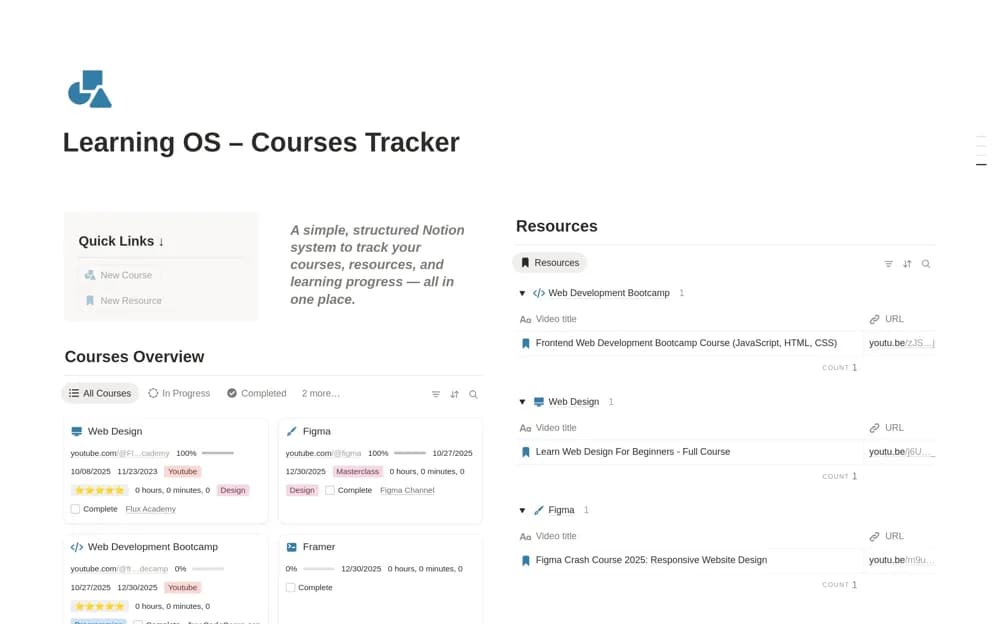
A learning dashboard linking courses, progress states, videos, tutorials, and other study resources.
What’s included
- Central course dashboard
- In-progress and completed course organization
- Resources connected to the relevant course
How to use it in practice
Add one course you intend to finish and link the next lesson or practice resource. Record a useful stopping point after each session and schedule time to apply what you learn. Archive resources you no longer need instead of building a large unreviewed collection.
Set it up in your workspace
- Open the original Notion Marketplace listing and add the template to your chosen workspace while signed in. Keep its example records until you understand how the pages connect.
- Add one course you intend to finish and link the next lesson or practice resource.
- Try one complete example before adding a large backlog. Check that its views and any calculations show what you expect, then replace the sample content with your own.
Who it suits and what to consider
Self-directed learners organizing several courses and their supporting materials. Course completion and progress records do not independently assess skill or understanding.