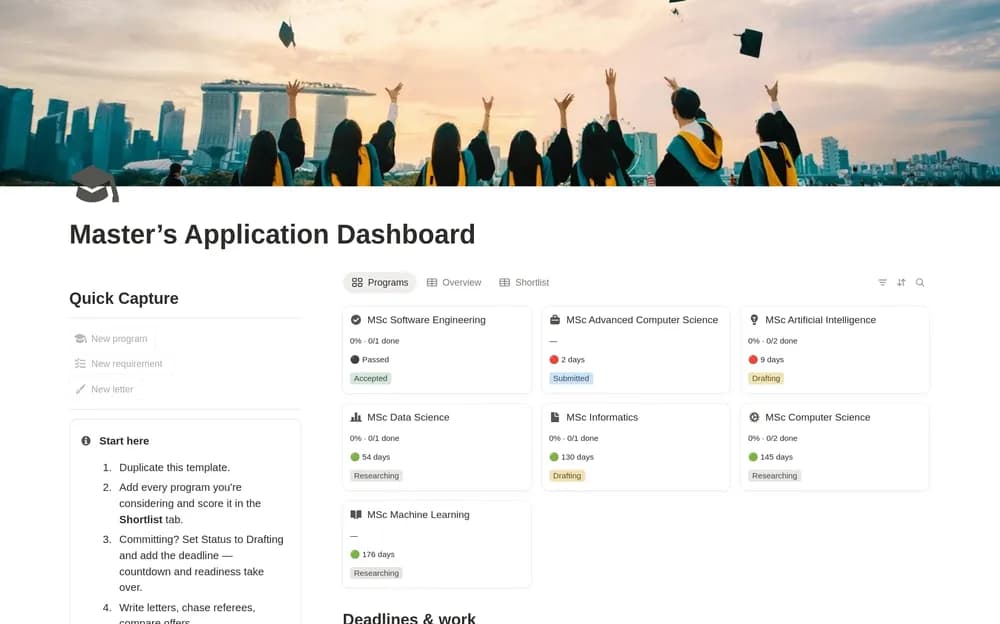
About Master's Application Dashboard
Graduate applications involve requirements that vary by institution. This dashboard provides a place to organize the work. Keep links to each program’s official requirements and record when you checked them so a saved deadline or document list can be verified later.
What’s included
- Program shortlisting with weighted fit, cost, career, and city scores
- Deadline countdowns, readiness scores, calendars, and a season timeline
- Motivation-letter, reference, scholarship, and offer-comparison workflows
How to use it in practice
Add a few realistic programs and verify deadlines at the official admissions pages. Adjust scoring weights to reflect your own priorities, then organize references and document work before submission dates. Retain the final submitted materials with each application. When offers arrive, compare confirmed costs and conditions using the same assumptions.
Set it up in your workspace
- Open the original Notion Marketplace listing and add the template to your chosen workspace while signed in. Keep its example records until you understand how the pages connect.
- Add a few target programs and their official requirements. Separate application deadlines from document-request dates.
- Try one complete example before adding a large backlog. Check that its views and any calculations show what you expect, then replace the sample content with your own.
Who it suits and what to consider
Students preparing applications for a master’s program. A detailed option for a multi-program application season. Scores support your comparison, while eligibility and deadlines need checking with each institution.