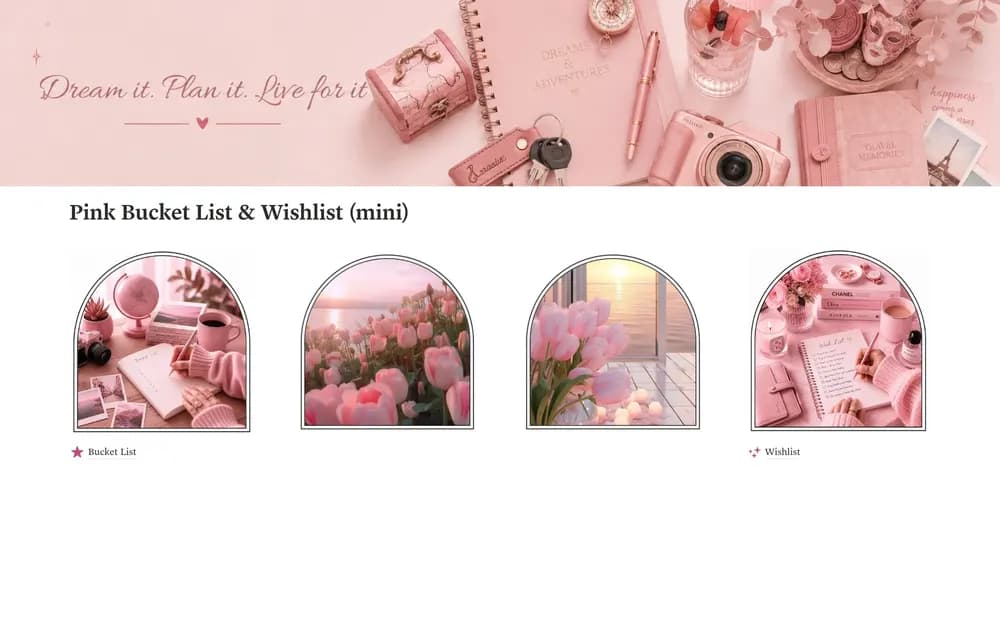
About Pink Bucket List & Wishlist
Keep bucket-list experiences and wanted items on one pink Notion dashboard, tracking dream progress by category and wishlist prices and priorities.
What’s included
- Dashboard combining both lists
- Bucket list with progress tracking by category
- Wishlist with prices and priorities
- Purchase tracking
How to use it in practice
Add ten experiences you hope to have and group them by category. Choose one you could start this month and mark progress as you plan it. Enter a few wishlist items with prices and priorities, and visit the dashboard at the end of the week to update anything you completed or bought.
Set it up in your workspace
- Open the original Notion Marketplace listing and add the template to your chosen workspace while signed in. Keep its example records until you understand how the pages connect.
- Add ten experiences you hope to have and group them by category.
- Try one complete example before adding a large backlog. Check that its views and any calculations show what you expect, then replace the sample content with your own.
Who it suits and what to consider
Goal setters and dreamers who want life experiences and wished-for items in one aesthetic space. Bucket-list progress depends on statuses you update yourself, and the listing does not describe goal steps or deadlines.