About Startup Pitch Deck (PULSE Framework)
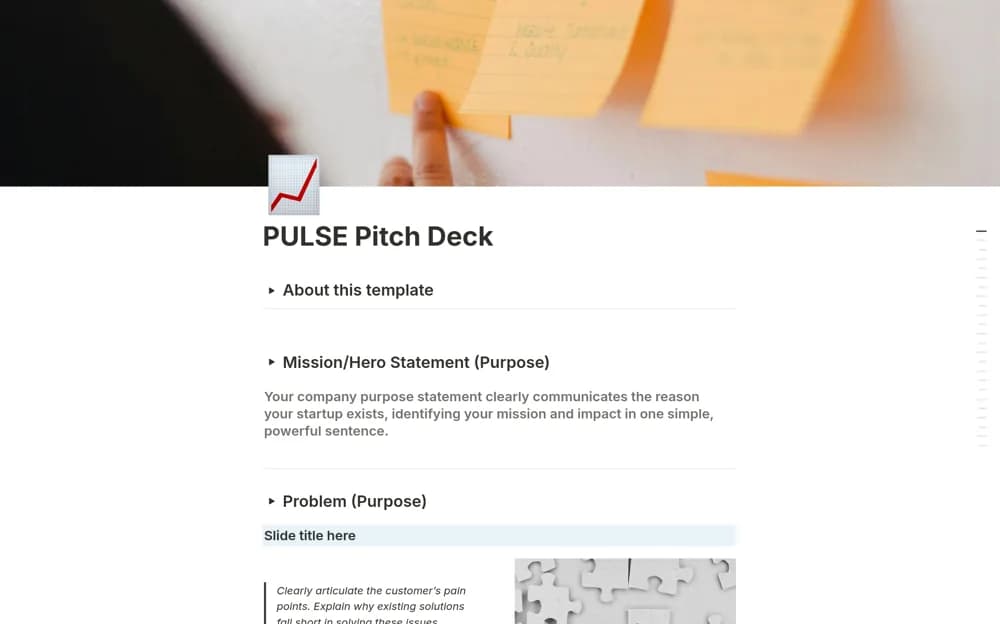
A startup pitch framework with section-by-section instructions for developing a concise business narrative.
What’s included
- PULSE-inspired pitch structure
- Instruction callouts and suggested graphics
- Editable section titles and slide-message prompts
How to use it in practice
Draft each section around one message supported by evidence. Replace generic headings with language specific to your business and check that figures agree across the narrative. Remove internal instructions before sharing, then test whether a new reader can explain the offer and request.
Set it up in your workspace
- Open the original Notion Marketplace listing and add the template to your chosen workspace while signed in. Keep its example records until you understand how the pages connect.
- Draft each section around one message supported by evidence.
- Try one complete example before adding a large backlog. Check that its views and any calculations show what you expect, then replace the sample content with your own.
Who it suits and what to consider
Founders preparing a written startup overview before presenting or sharing it. The creator suggests external routes for converting the page to slides; export capability is not part of the confirmed template itself.