About Scholarship Application Tracker: Student Planner
Manage scholarship applications in Notion with eligibility notes, award amounts, requirements, deadline views, and reusable application materials.
What’s included
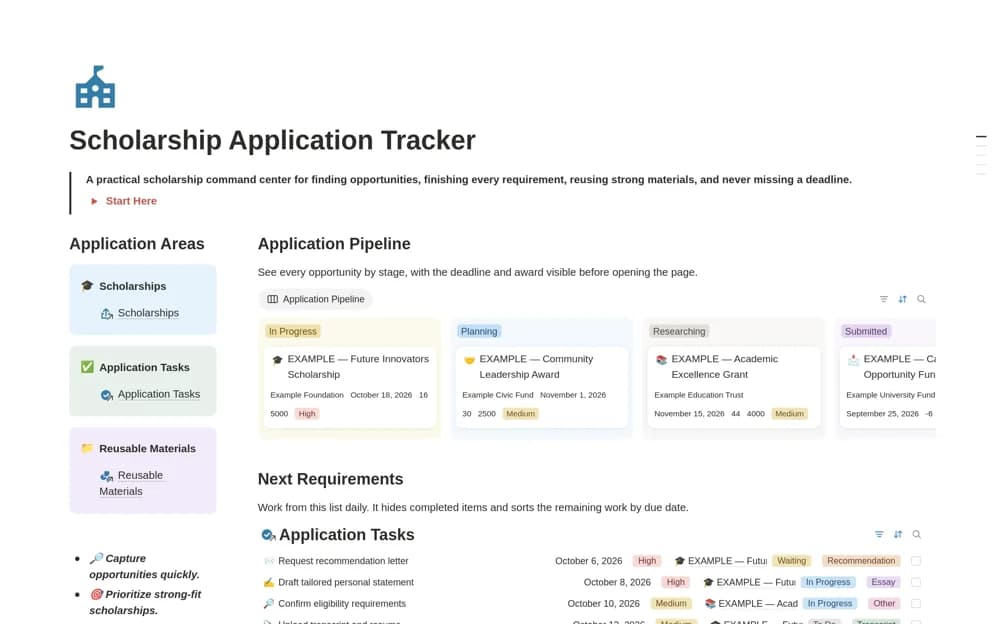
- Scholarship and eligibility records
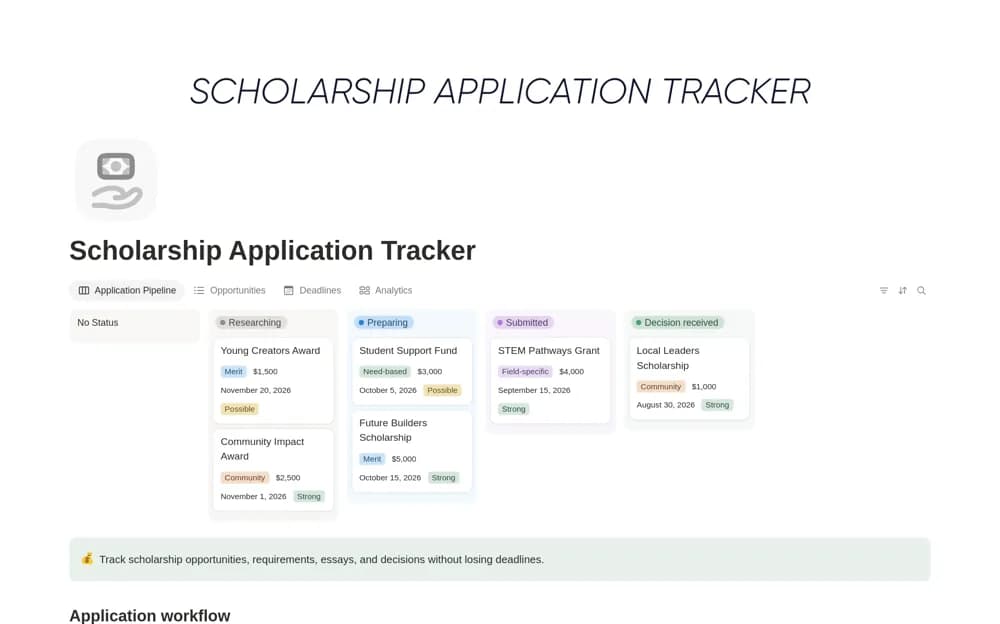
- Research-to-submission pipeline
- Application task and deadline tracking
- Reusable essay and document library
How to use it in practice
Add an opportunity from its official page and check the deadline and eligibility requirements. Break the application into specific documents and tasks, then link reusable material only after checking it answers this application’s prompt. Record submission confirmation and revisit the calendar before starting another application.
Set it up in your workspace
- Open the original Notion Marketplace listing and add the template to your chosen workspace while signed in. Keep its example records until you understand how the pages connect.
- Add an opportunity from its official page and check the deadline and eligibility requirements.
- Try one complete example before adding a large backlog. Check that its views and any calculations show what you expect, then replace the sample content with your own.
Who it suits and what to consider
Students comparing funding opportunities and preparing several applications at once. The template organizes opportunities you add. It does not verify eligibility, find every available award, or submit an application for you.