About Simple Planner: Daily, Weekly & Monthly Schedule
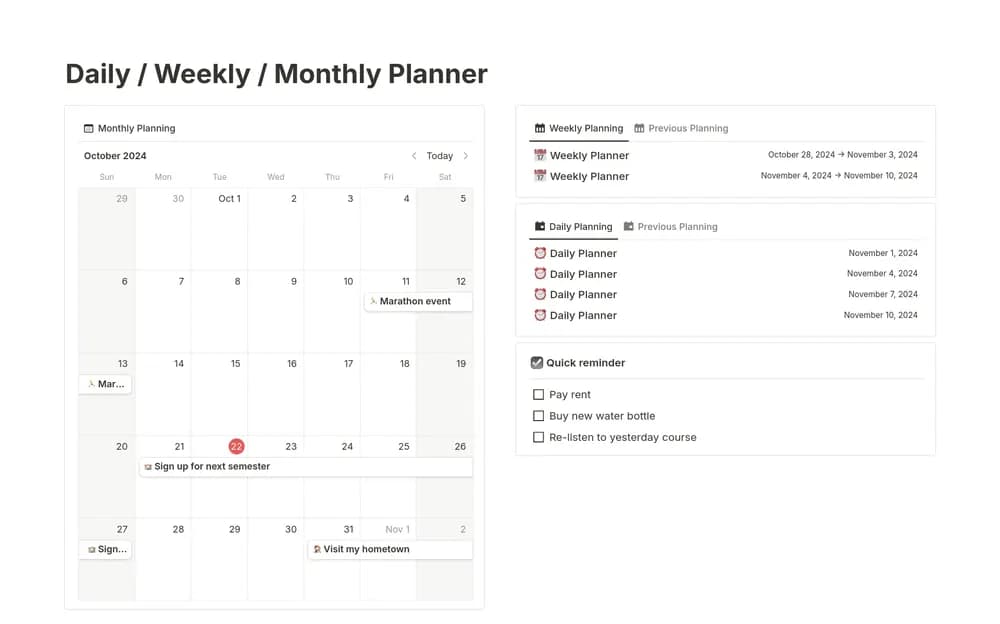
Plan time in Notion with three plain views: a daily task list with priority tags, a day-by-day weekly overview, and a monthly calendar.
What’s included
- Daily task list with priority tags
- Day-by-day weekly overview
- Monthly calendar
- Minimal design
How to use it in practice
Add this month’s deadlines and appointments to the monthly calendar. Pull this week’s tasks into the weekly overview and tag the important ones. Each morning, use the daily view to decide what gets done, and compare the week with the month on Friday.
Set it up in your workspace
- Open the original Notion Marketplace listing and add the template to your chosen workspace while signed in. Keep its example records until you understand how the pages connect.
- Add this month’s deadlines and appointments to the monthly calendar.
- Try one complete example before adding a large backlog. Check that its views and any calculations show what you expect, then replace the sample content with your own.
Who it suits and what to consider
Students, professionals, and former paper-planner users who want their schedule in one spot. The listing does not mention habits, goals, or time blocking, so it is a scheduling and task view rather than a full life planner. Events are added manually.