About StarterPack: Daily Planner & Habit Tracker
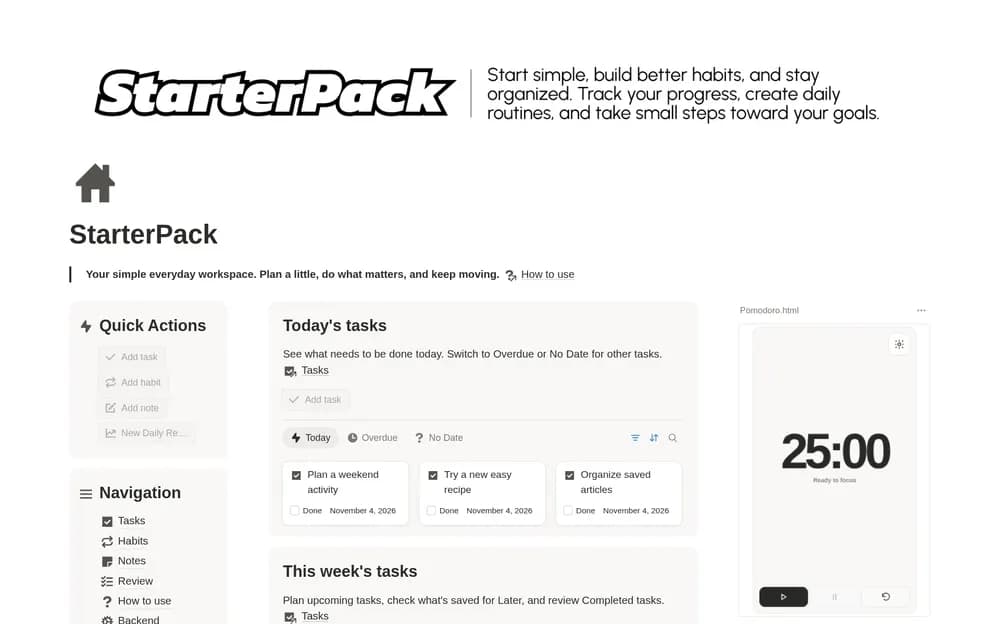
Start with Notion using a beginner workspace for dated tasks, weekly habit checkboxes, quick notes, a three-prompt daily review, and a focus timer.
What’s included
- Task manager with Today, Overdue, No Date, Upcoming, Later, and Completed views
- Monday-to-Sunday habit checkboxes
- Quick Notes database
- Mini daily review with mood, energy, and sleep ratings
- Weekly focus goal and a Pomodoro-style timer
How to use it in practice
Read the how-to page and look through the sample entries before deleting them. Add this week’s tasks with due dates, list three habits, and set one weekly goal with up to three priorities. Complete the mini daily review each evening, then on the last day review your wins and reset the habit checkboxes.
Set it up in your workspace
- Open the original Notion Marketplace listing and add the template to your chosen workspace while signed in. Keep its example records until you understand how the pages connect.
- Read the how-to page and look through the sample entries before deleting them.
- Try one complete example before adding a large backlog. Check that its views and any calculations show what you expect, then replace the sample content with your own.
Who it suits and what to consider
Notion beginners and students who want everyday essentials without a complex setup. The creator notes that habit checkboxes are reset manually each week, so earlier weeks are probably not kept unless you copy them first.