About Smart Meal & Recipe Planner (Weekly)
A meal plan is most useful when it matches the time and ingredients you actually have. This weekly planner gives meals and recipes a shared structure. Begin with familiar dishes and keep room for leftovers or a change of plan.
What’s included
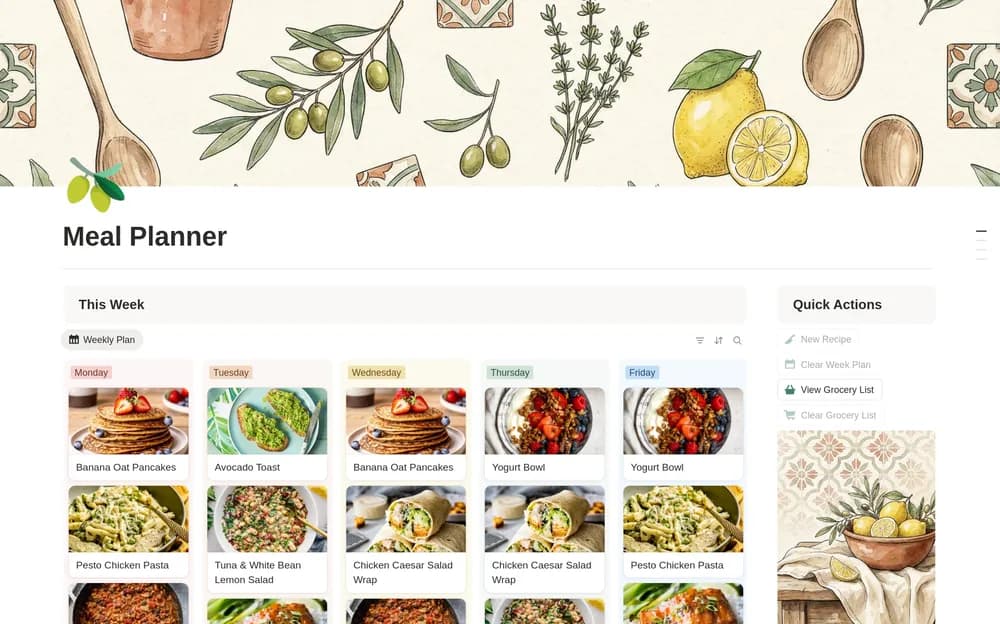
- Weekly meal scheduling connected to a recipe library
- Weekly Grocery Needs and a separate Grocery List
- Recipe tags, favorites, optional macros, pantry-oriented views, and reset buttons
How to use it in practice
Schedule meals for the week you actually expect, allowing for leftovers and meals away from home. Review Weekly Grocery Needs against what is already in the pantry before adding missing items to the shopping list. Check recipe portions and quantities manually where needed. Use the reset buttons after reviewing what they clear or retain.
Set it up in your workspace
- Open the original Notion Marketplace listing and add the template to your chosen workspace while signed in. Keep its example records until you understand how the pages connect.
- Plan a week around meals you already know. Review the ingredients before your usual shopping trip.
- Try one complete example before adding a large backlog. Check that its views and any calculations show what you expect, then replace the sample content with your own.
Who it suits and what to consider
People planning food around a normal week. Useful for connecting recipes, the weekly plan, and shopping. Keep ingredient names consistent so the grocery view remains easy to review.