About Stardew Valley Perfection Tracker
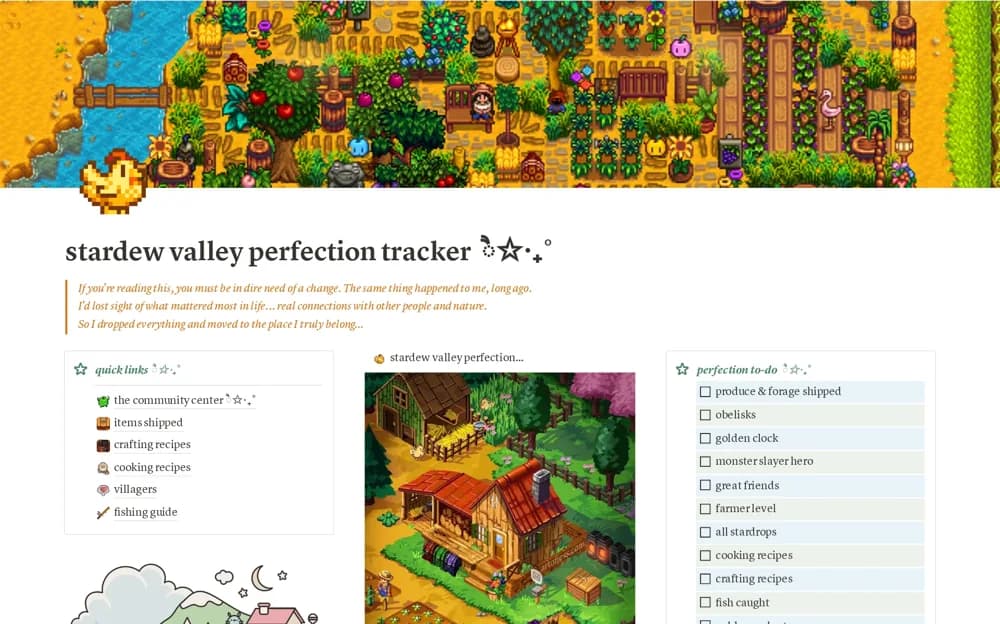
Track Stardew Valley completion in Notion with villager and recipe references, Community Center checklists, monster goals, and item locations.
What’s included
- Villager reference database
- Crafting and cooking recipe records
- Community Center checklists
- Monster goals and item-location references
How to use it in practice
Compare the template’s examples with your current save and mark only the achievements you have actually completed. Keep the next few goals visible while playing, then update the checklist after a session. Check the game version when a recipe, location, or completion requirement differs from the reference.
Set it up in your workspace
- Open the original Notion Marketplace listing and add the template to your chosen workspace while signed in. Keep its example records until you understand how the pages connect.
- Compare the template’s examples with your current save and mark only the achievements you have actually completed.
- Try one complete example before adding a large backlog. Check that its views and any calculations show what you expect, then replace the sample content with your own.
Who it suits and what to consider
Stardew Valley players keeping a manual checklist while working toward in-game completion. The tracker does not read your save automatically. Game updates and mods can change requirements, so verify references against the version you play.