About Travel Bucket List
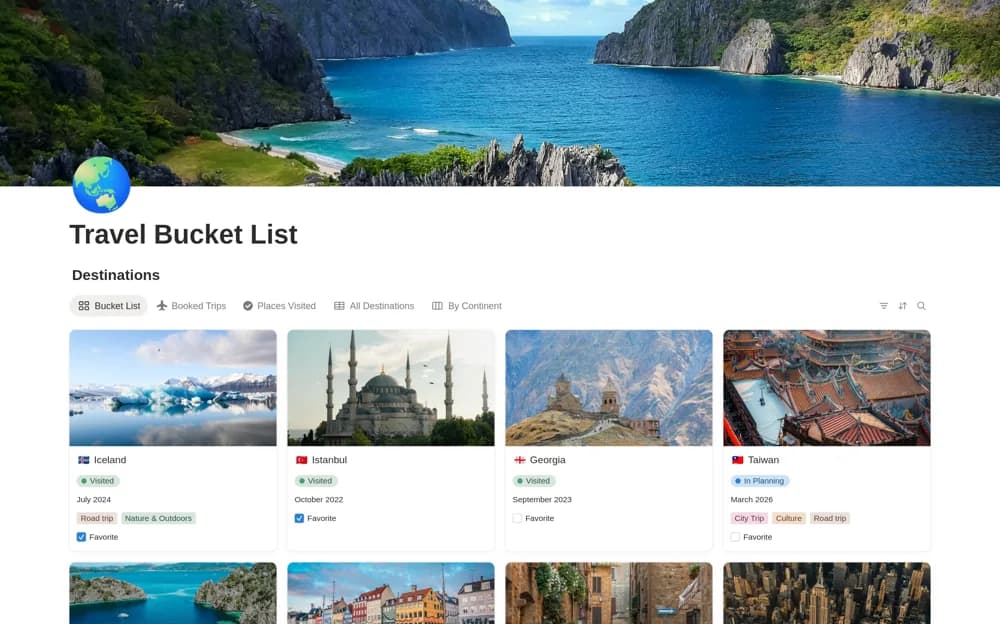
Collect travel ideas in Notion with destination photos, preferred timing, trip length, travel companions, and planning or visited status.
What’s included
- Destination gallery with photos
- Preferred season and duration notes
- Travel companion and planned-date fields
- Wishlist, planning, and visited stages
How to use it in practice
Add a few destinations and note why you want to visit each one. Record a plausible season and trip length, then choose one idea to research further. Move it into planning only when you are ready to check practical details, keeping inspiration separate from confirmed dates and bookings.
Set it up in your workspace
- Open the original Notion Marketplace listing and add the template to your chosen workspace while signed in. Keep its example records until you understand how the pages connect.
- Add a few destinations and note why you want to visit each one.
- Try one complete example before adding a large backlog. Check that its views and any calculations show what you expect, then replace the sample content with your own.
Who it suits and what to consider
Travelers keeping an organized wishlist before committing to a detailed itinerary. This is an idea collection. Current prices, entry requirements, booking availability, and detailed schedules need separate research.