About Aesthetic Cornell Notes
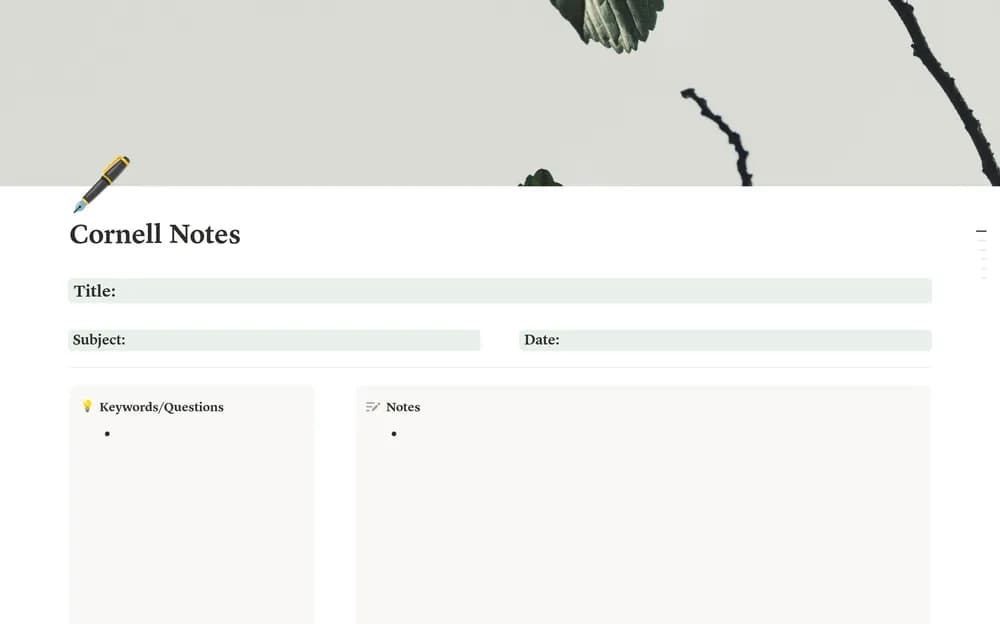
The Cornell approach separates notes, prompts, and a summary. This template gives the method an aesthetic treatment in Notion. Try using the prompt area to test your understanding later; it is more useful when it helps you recall the material rather than simply decorate the page.
What’s included
- A Cornell layout with cues, lecture notes, and summary sections
- Subject and topic organization
- An in-template guide to using the note structure for review
How to use it in practice
Take the main notes during the lecture, then return to write cues and a short summary in your own words. During review, cover the notes and use the cues to recall the explanation. Add unclear points to a follow-up question list. Keep the summary concise enough to reveal what you understood rather than reproducing the lecture.
Set it up in your workspace
- Open the original Notion Marketplace listing and add the template to your chosen workspace while signed in. Keep its example records until you understand how the pages connect.
- Use the layout for one class and write a short summary afterward. Return to the prompts a few days later.
- Try one complete example before adding a large backlog. Check that its views and any calculations show what you expect, then replace the sample content with your own.
Who it suits and what to consider
Students who like a structured note-taking page. Suited to structured notes and active review. It is easiest to evaluate with one real lecture before converting an entire notebook.