About All-in-One Homeschooling System
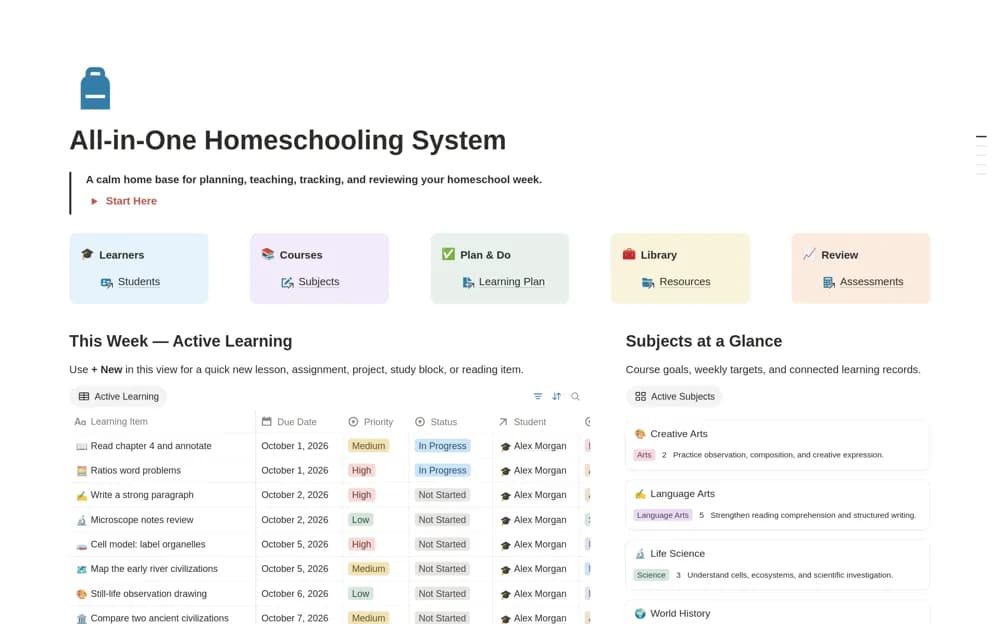
A home-education workspace connecting learners, subjects, lesson plans, assignments, and progress records, with a weekly overview and a place to keep teaching resources.
What’s included
- Student and subject organization
- Lessons, assignments, and learning calendar
- Assessment records, resource library, and weekly dashboard
How to use it in practice
Add one learner and the subjects you are teaching this week. Plan a few lessons with their materials, then record what was completed and any feedback. Use the weekly overview to adjust the following week instead of copying a timetable that did not work.
Set it up in your workspace
- Open the original Notion Marketplace listing and add the template to your chosen workspace while signed in. Keep its example records until you understand how the pages connect.
- Add one learner and the subjects you are teaching this week.
- Try one complete example before adding a large backlog. Check that its views and any calculations show what you expect, then replace the sample content with your own.
Who it suits and what to consider
Homeschooling families and educators planning learning for one or several children. The workspace organizes your educational plan. Its sample subjects and progress fields do not establish a complete curriculum or meet a particular jurisdiction’s requirements automatically.