About Anime-Inspired Book Tracker
The visual theme gives this reading tracker its character. It suits someone who likes the idea of opening a personal bookshelf rather than a plain table. Use the organization to make your reading queue clearer, then let the decoration support the experience.
What’s included
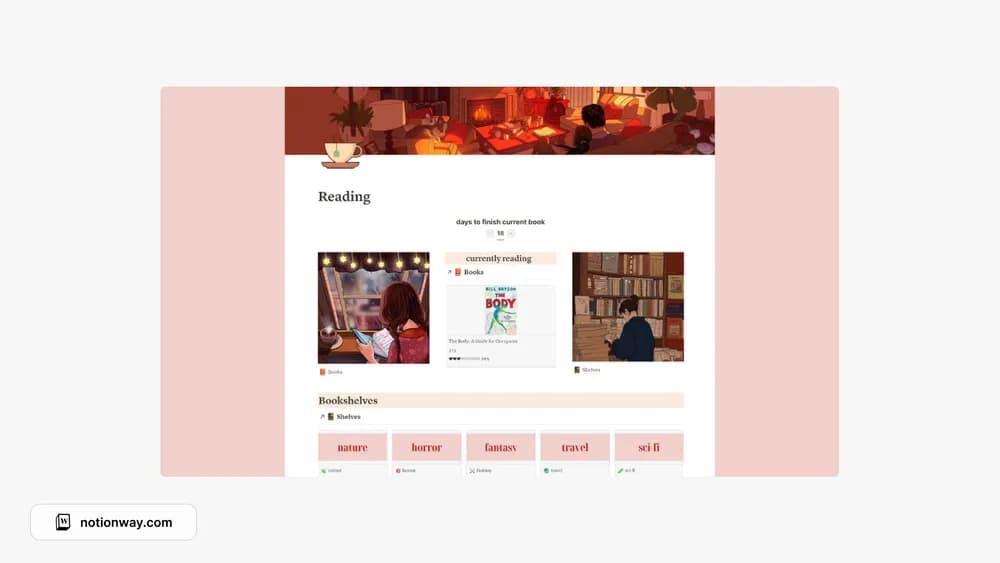
- Linked Books and Bookshelves databases with a currently-reading gallery
- A days-to-finish calculation using reading dates
- Custom shelf covers, with a Canva customization link in the creator’s instructions
How to use it in practice
Start with your current book and two shelves you genuinely use. Set its reading status and dates, then move it between shelves to understand the linked structure. The creator notes that the current-reading layout looks best with one book; if you read several at once, adjust card sizes in your copy. Keep notes inside each book so a finished title still carries something useful.
Set it up in your workspace
- Follow the original creator’s checkout or access instructions to obtain the Notion page. Open that page while signed in, then duplicate it into the workspace you want to use.
- Add your current reading and a small next-up shelf. Check whether you prefer a gallery or a compact list for daily use.
- Try one complete example before adding a large backlog. Check that its views and any calculations show what you expect, then replace the sample content with your own.
Who it suits and what to consider
Readers who enjoy anime-inspired visuals. A good option for a visual library with an anime style. The creator explicitly says it does not include a daily reading tracker, so compare another listing if daily page logging is essential.