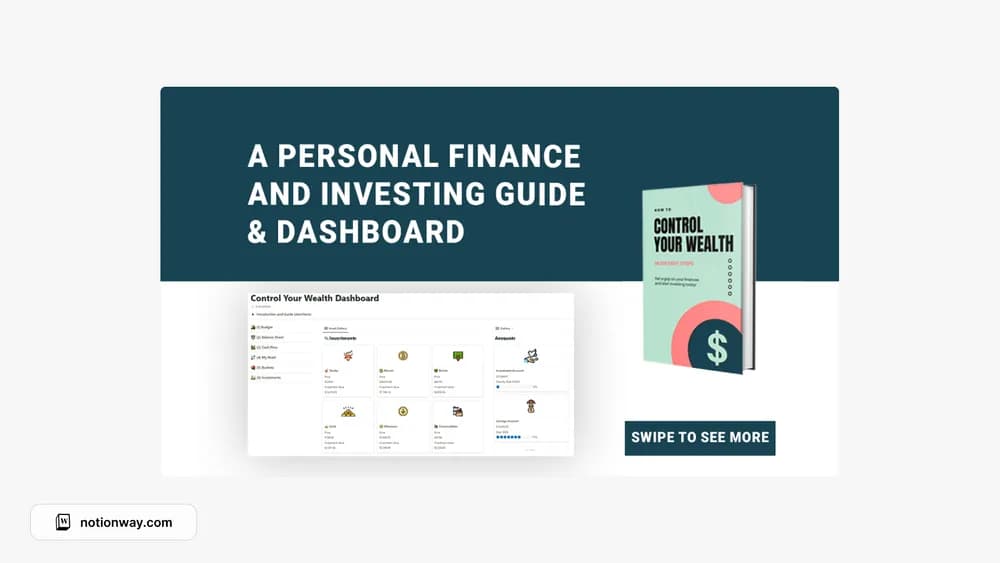
About Control Your Wealth
This creator’s template brings a finance and investing theme together. Read the source material critically and check the date and basis of any financial claims. Use the workspace to organize your own learning and records; a template does not establish whether an investment is suitable for you.
What’s included
- A finance-oriented dashboard paired with the creator’s guide
- Sections for financial records, investments, and goals
- Step-by-step prompts and actions described in the accompanying material
How to use it in practice
Use the workspace to organize current balances, goals, and learning notes. Date any assumptions and retain the source behind a calculation so you can revisit it. Review the guide critically before applying a claim to your own circumstances. Keep projections separate from amounts you can verify in actual records.
Set it up in your workspace
- Follow the original creator’s checkout or access instructions to obtain the Notion page. Open that page while signed in, then duplicate it into the workspace you want to use.
- Review the creator’s scope and sources. Keep learning notes separate from decisions involving real money.
- Try one complete example before adding a large backlog. Check that its views and any calculations show what you expect, then replace the sample content with your own.
Who it suits and what to consider
People organizing financial learning and personal records. The creator uses strong financial-freedom claims in its marketing. A template can organize information, while investment suitability and future results require independent assessment.