About Habit & Goal Tracker
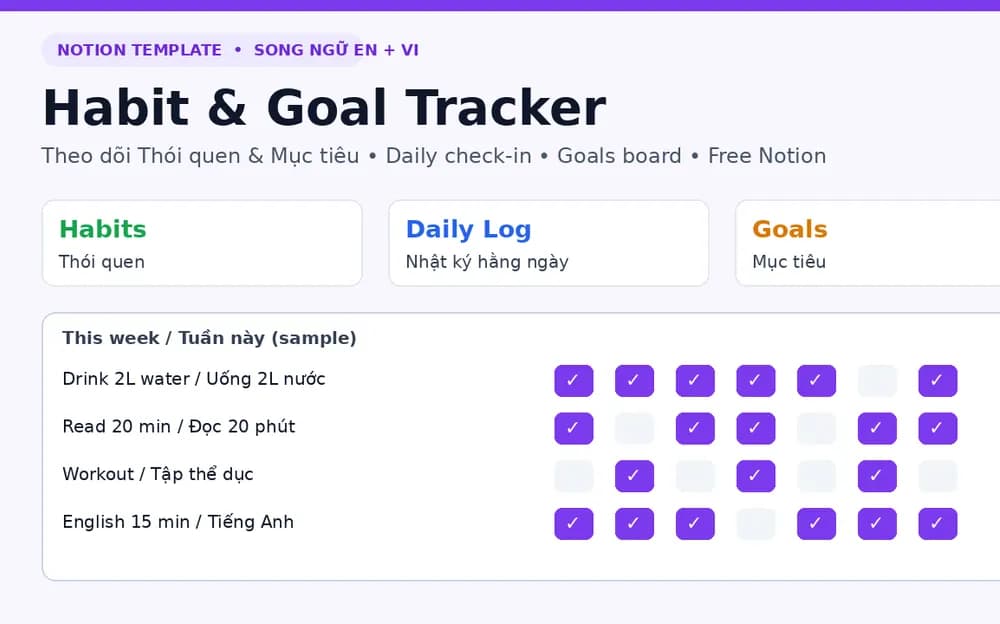
Check off daily and weekly habits in Notion with mood and notes, compare progress with weekly targets, and track goals by deadline and percentage.
What’s included
- Habits database with area, frequency, and weekly targets
- Daily check-in log for habits, mood, and notes
- Goals board with deadlines, status, and progress percentage
- Weekly view of completed and missed habits
- Quick-start PDF and setup guide
How to use it in practice
Choose three habits and set realistic weekly targets before adding anything else. Make a check-in entry each evening, ticking the habits you completed and noting your mood. At the end of the week, review the weekly view for patterns and update the progress on one goal you are working toward.
Set it up in your workspace
- Follow the original creator’s checkout or access instructions to obtain the Notion page. Open that page while signed in, then duplicate it into the workspace you want to use.
- Choose three habits and set realistic weekly targets before adding anything else.
- Try one complete example before adding a large backlog. Check that its views and any calculations show what you expect, then replace the sample content with your own.
Who it suits and what to consider
English and Vietnamese speakers building routines alongside a few longer-term goals. Labels are bilingual English and Vietnamese, which some users may want to trim. Check-ins are recorded manually each day.