About Internship Application Tracker
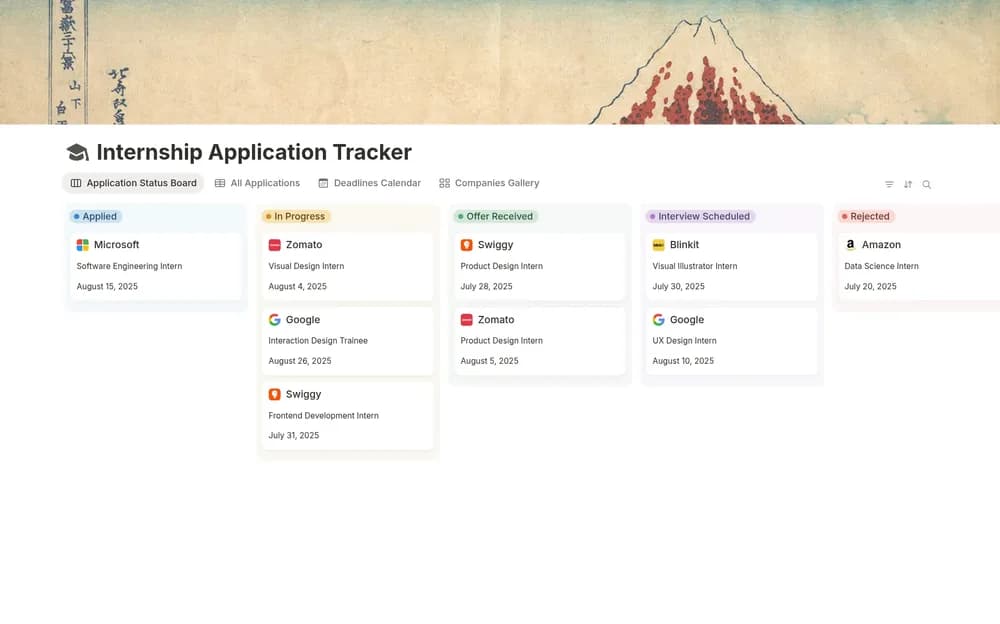
Application work is easier to review when each opportunity has a clear status and next action. This tracker offers a focused starting structure. Keep the original role details beside the record and update the stage promptly after a submission or conversation.
What’s included
- Company, role, dates, status, contact, and note fields
- Table, board, calendar, and gallery views
- Application, interview, and decision-stage organization
How to use it in practice
Enter active opportunities with their official application links and deadlines. Keep the next interview or follow-up identifiable and check the calendar for overlapping commitments. Review stage changes alongside email so the board remains current. Retain useful notes when closing an application, especially feedback that may help you prepare for the next one.
Set it up in your workspace
- Open the original Notion Marketplace listing and add the template to your chosen workspace while signed in. Keep its example records until you understand how the pages connect.
- Add current opportunities and the next action for each. Set a review time that fits your application schedule.
- Try one complete example before adding a large backlog. Check that its views and any calculations show what you expect, then replace the sample content with your own.
Who it suits and what to consider
Students and early-career applicants seeking placements. A focused tracker for internship searches. Choose one view for routine review and use the others when you need a different perspective.