About Job Tracker Notion Free Template
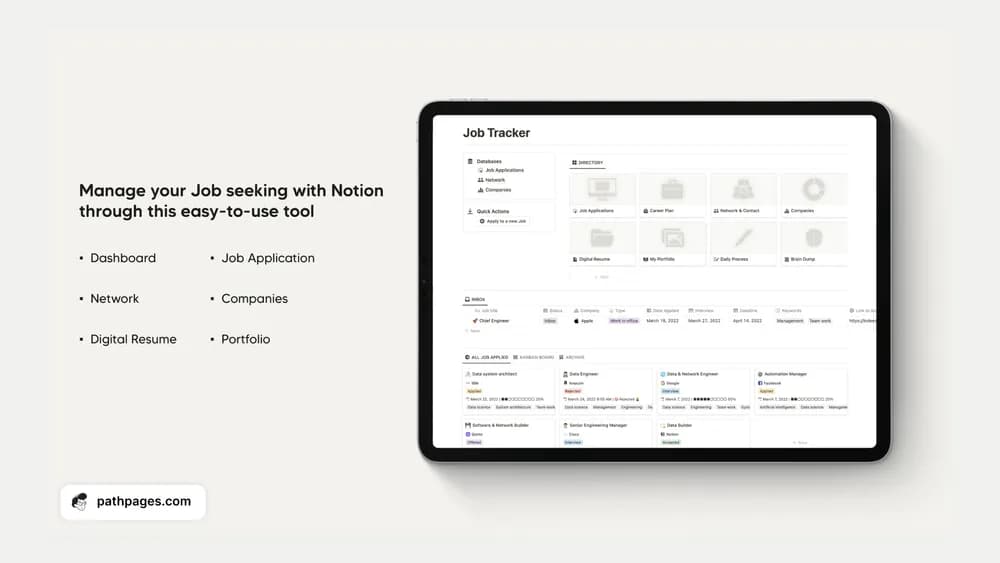
A job tracker helps when you can see the status and next step for each application. This listing offers a focused workspace to explore. Keep the original role information close to the record, and update the stage while the details are fresh.
What’s included
- A free version focused on basic job-application tracking
- Separate Standard and Complete versions described by the creator
- An upgrade path covering career planning, networking, portfolios, and analytics across the paid tiers
How to use it in practice
Use the free tracker with a few current applications. Record the actual role, application date, status, and next follow-up you need, adapting the available fields in your copy. Review it alongside your email so interview changes remain current. Check the tier comparison before expecting the broader career and portfolio tools shown on the product page.
Set it up in your workspace
- Follow the original creator’s checkout or access instructions to obtain the Notion page. Open that page while signed in, then duplicate it into the workspace you want to use.
- Add your active applications and a next action for each. Set a realistic time to review the list every week.
- Try one complete example before adding a large backlog. Check that its views and any calculations show what you expect, then replace the sample content with your own.
Who it suits and what to consider
Job seekers managing several opportunities. The creator assigns career planning and network organization to Standard, and advanced analytics, branded portfolios, and full integration to Complete. This listing does not treat the free tracker as the whole product suite.