About Moving Out Planner
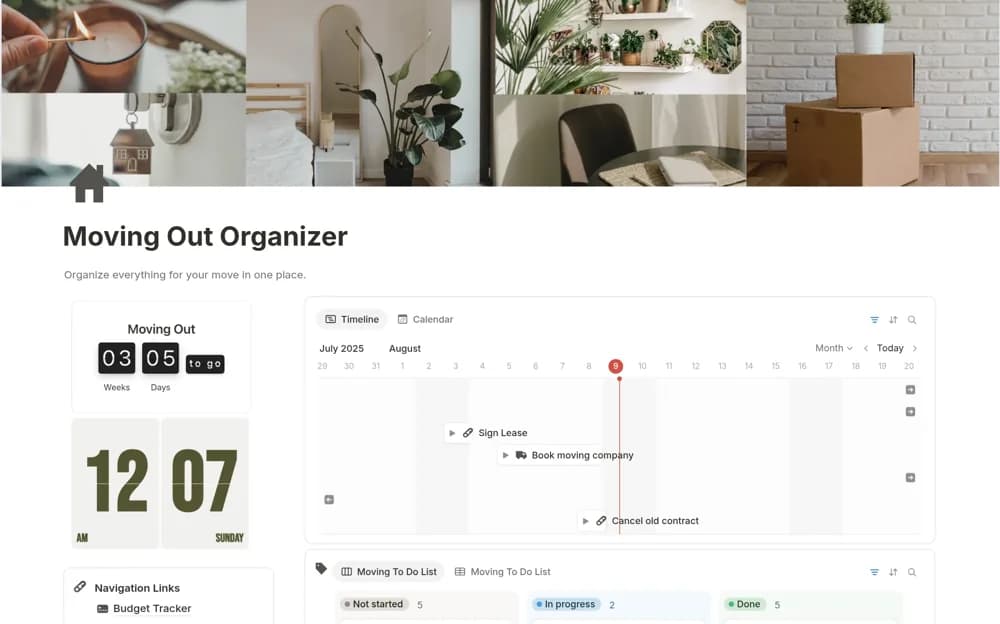
A moving planner with categorized tasks, deadline views, documents, a budget area, and new-home setup notes.
What’s included
- Pack, cancel, and update checklists
- Timeline and calendar views
- Document, budget, and new-apartment setup sections
How to use it in practice
Add the confirmed moving date and work backward from notice periods and bookings. Assign shared tasks clearly and keep sensitive documents restricted. Check completed address and utility changes against provider confirmation, then review outstanding essentials before moving day.
Set it up in your workspace
- Open the original Notion Marketplace listing and add the template to your chosen workspace while signed in. Keep its example records until you understand how the pages connect.
- Add the confirmed moving date and work backward from notice periods and bookings.
- Try one complete example before adding a large backlog. Check that its views and any calculations show what you expect, then replace the sample content with your own.
Who it suits and what to consider
People organizing the practical steps around a household move. Example checklists need adapting to your lease, providers, destination, and local requirements.