About Muslim Professional OS — Prayer-First Planner
This template puts a faith-centered perspective around everyday planning. Check how the creator has organized prayer and work context, and adapt the setup to your own location and routine. Any time-specific religious information should be checked against a source you trust.
What’s included
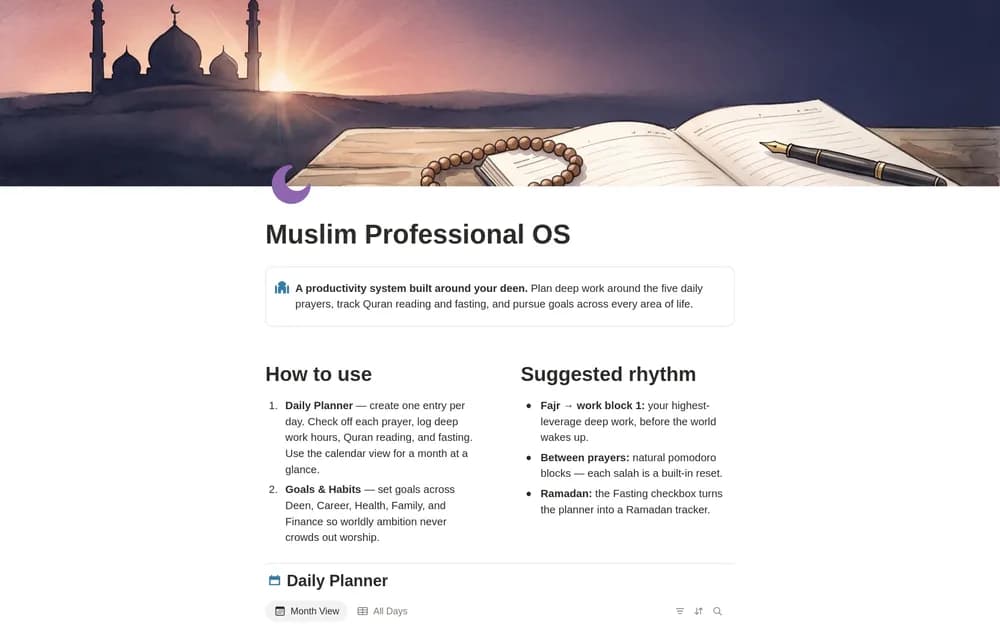
- A daily planner with prayer checkboxes, deep-work hours, Quran reading, and fasting records
- A calendar view
- Goals and habits across Deen, Career, Health, Family, and Finance, plus a start guide
How to use it in practice
Use the planner to organize the day around your actual local prayer times and commitments. Record the work block you intend to focus on and keep the goals relevant to your current season. Review the week without turning every area into a daily obligation. Use the fasting record when it fits your practice.
Set it up in your workspace
- Open the original Notion Marketplace listing and add the template to your chosen workspace while signed in. Keep its example records until you understand how the pages connect.
- Review the planning structure and add one ordinary workday. Confirm any local time information separately.
- Try one complete example before adding a large backlog. Check that its views and any calculations show what you expect, then replace the sample content with your own.
Who it suits and what to consider
Muslims organizing work around an existing faith practice. Suited to people seeking a planner centered on their religious routine. The listing describes tracking and planning, so obtain prayer times from an appropriate current local source.