About Net Worth & Investment Dashboard
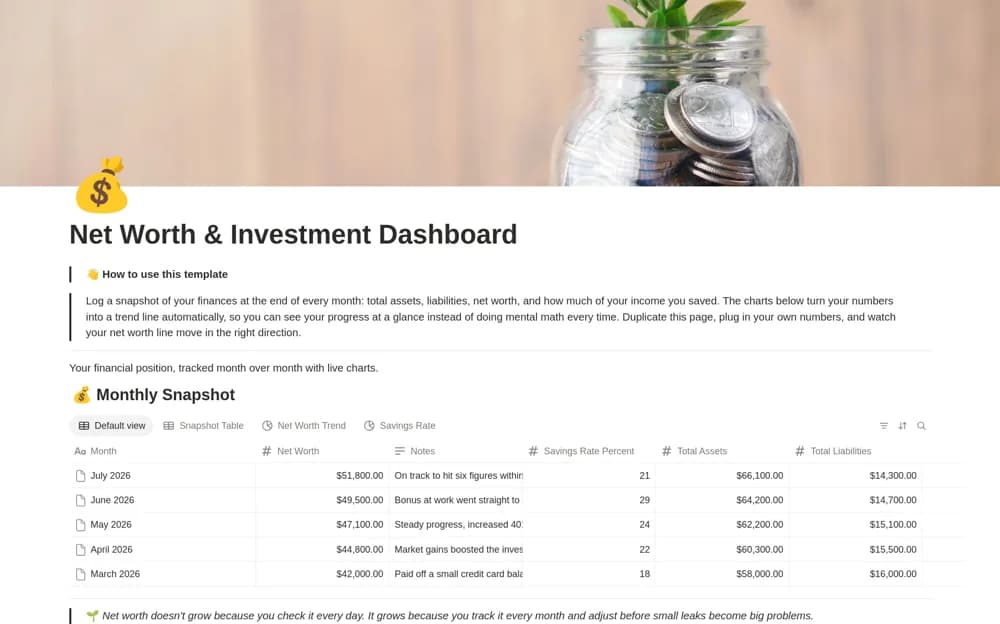
A monthly financial snapshot dashboard charting assets, liabilities, net worth, and savings-rate records.
What’s included
- Monthly snapshot database
- Assets, liabilities, net-worth, and savings-rate fields
- Charts, setup guidance, and an example month
How to use it in practice
Choose a consistent month-end date and gather the underlying balances. Check the formulas with a known example and document how you define savings rate. Review trends with context for transfers, valuation changes, and missing accounts instead of assuming every movement represents spending.
Set it up in your workspace
- Open the original Notion Marketplace listing and add the template to your chosen workspace while signed in. Keep its example records until you understand how the pages connect.
- Choose a consistent month-end date and gather the underlying balances.
- Try one complete example before adding a large backlog. Check that its views and any calculations show what you expect, then replace the sample content with your own.
Who it suits and what to consider
People wanting a periodic overview rather than daily financial transaction tracking. The charts update from entered records; the source does not establish bank connections or investment recommendations.