About Notion - Personal Finance Tracker
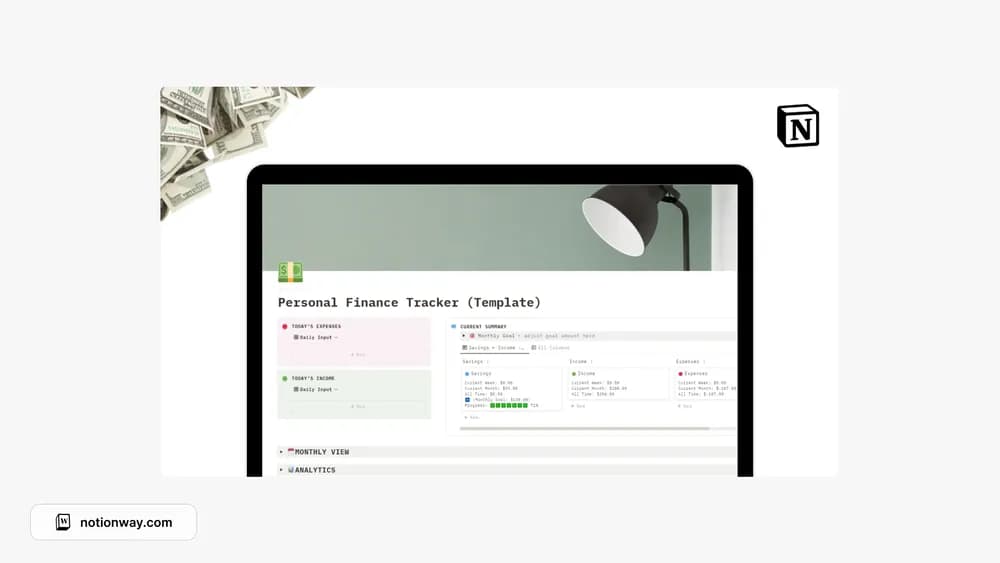
This tracker is another option for keeping personal money information together. Compare the creator preview with the way you record income and expenses. A finance page is easier to trust when its period, categories, and calculations are understandable without a long explanation.
What’s included
- Income, expense, and calculated savings records
- Weekly, monthly, and yearly summaries
- A calendar view, expense types, and monthly savings progress
How to use it in practice
Enter a short set of known transactions and check that income minus expenses produces the expected savings figure. Use expense types consistently, then compare the weekly and monthly views with the dates of those records. Add the rest of a month once the sample reconciles. Review individual transactions when a summary changes unexpectedly.
Set it up in your workspace
- Follow the original creator’s checkout or access instructions to obtain the Notion page. Open that page while signed in, then duplicate it into the workspace you want to use.
- Use a short sample of income and expenses. Check the totals against the inputs before adding more records.
- Try one complete example before adding a large backlog. Check that its views and any calculations show what you expect, then replace the sample content with your own.
Who it suits and what to consider
People comparing straightforward finance workspaces. A practical comparison option when you want several reporting periods in a simple workspace. Confirm how the template handles transfers and refunds in your own recording routine.