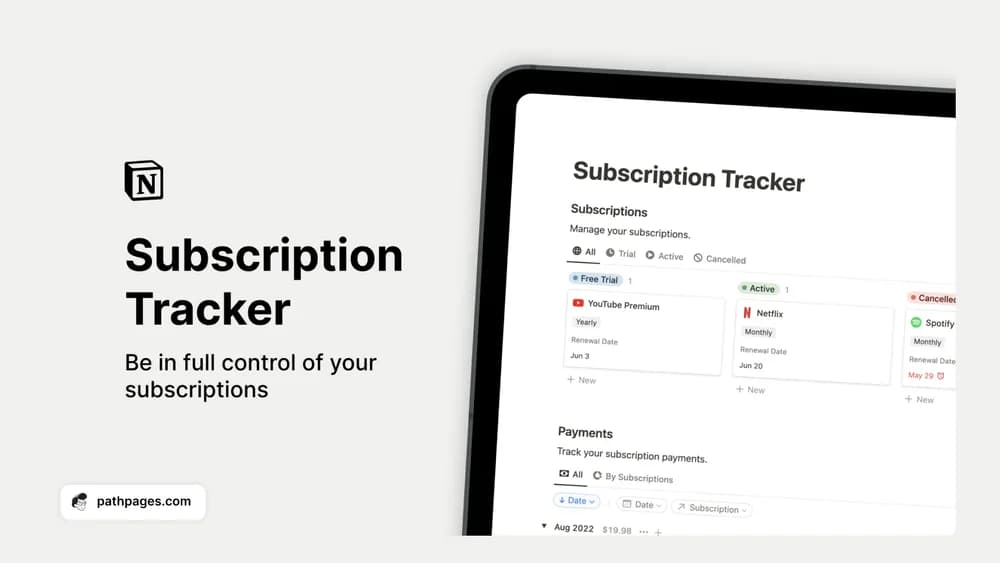
About Notion Subscription Tracker
Small subscriptions become difficult to remember when they renew on different dates. This tracker puts them in one list so you can review the services you still use. A record only stays useful if you update it when you subscribe, cancel, or change a plan.
What’s included
- Subscription records for active, trial, and cancelled services
- Renewal dates and payment amounts
- A view of recurring spending for reviewing what you keep
How to use it in practice
Add the renewal date from the provider’s account page rather than guessing from a bank transaction. For a trial, record the decision you need to make before billing starts. Review the list monthly and update the status after cancelling a service. Keep annual and monthly charges clearly distinguished when comparing what a subscription costs over a year.
Set it up in your workspace
- Get the template link from PathPages. Its free-template pages ask you to create an account for access. Open the delivered Notion page and duplicate it into your workspace.
- List the subscriptions visible on your latest bank statement. Check the renewal dates on each provider’s own page.
- Try one complete example before adding a large backlog. Check that its views and any calculations show what you expect, then replace the sample content with your own.
Who it suits and what to consider
People reviewing the recurring costs in their budget. It is a manual record of subscriptions. Logging a cancellation here does not cancel the service with its provider, so complete that action in the original account as well.