About One-Page Weekly Planner with Daily To-Dos
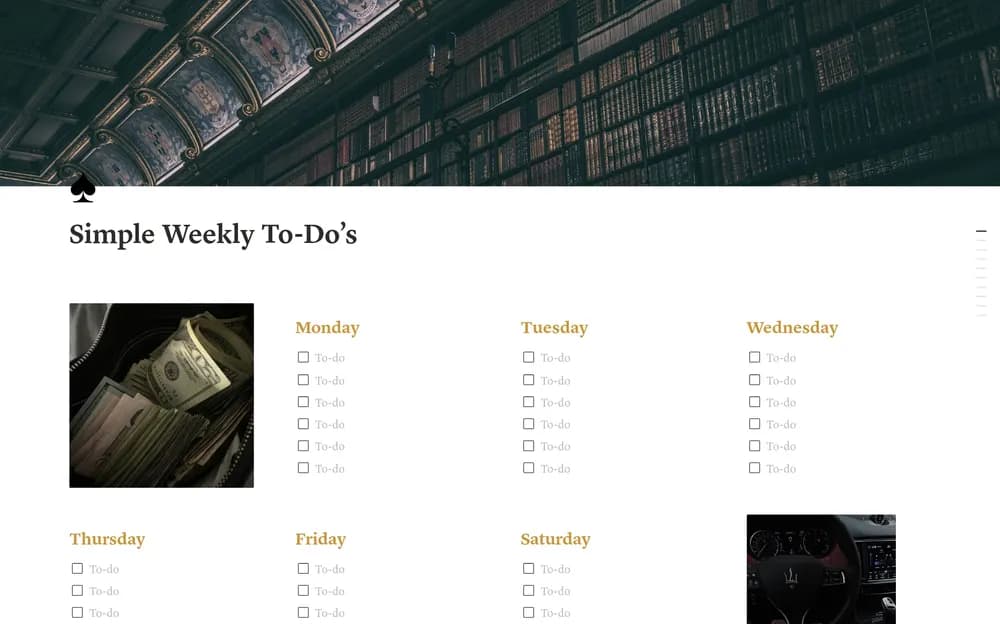
View the whole week on a single Notion page with to-do blocks for each day, a not-to-forget list for urgent items, and a calendar widget.
What’s included
- Seven daily to-do blocks
- Not-To-Forget section for urgent tasks
- Calendar widget
How to use it in practice
On Sunday evening, write the known tasks for each day into its to-do block. Put anything urgent without a fixed day in the Not-To-Forget section. Check items off through the week, and next Sunday decide whether to clear the page or duplicate it for the new week.
Set it up in your workspace
- Open the original Notion Marketplace listing and add the template to your chosen workspace while signed in. Keep its example records until you understand how the pages connect.
- On Sunday evening, write the known tasks for each day into its to-do block.
- Try one complete example before adding a large backlog. Check that its views and any calculations show what you expect, then replace the sample content with your own.
Who it suits and what to consider
Students and professionals who want a lightweight weekly page rather than a database system. The listing describes simple to-do blocks rather than a database, so it likely lacks due dates, filters, or a task archive. Clearing or copying the page each week is up to you.