About Pitch Deck Content Planner
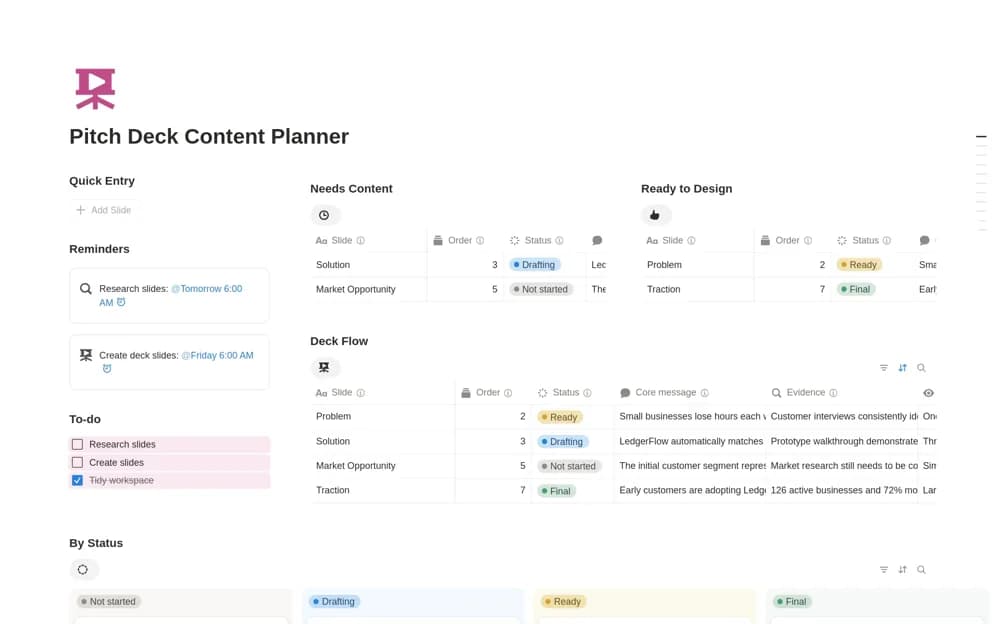
Plan an investor pitch deck in Notion with slide order, core messages, supporting evidence, visual direction, and content status.
What’s included
- Ordered slide-planning records
- Core message and evidence fields
- Visual direction notes
- Draft-to-final status and suggested deck sequence
How to use it in practice
Write the single point an investor should remember from each proposed slide. Attach the evidence supporting that point and flag claims you cannot yet substantiate. Review the sequence as a story before designing visuals, then update the status as the actual presentation slides are drafted and checked.
Set it up in your workspace
- Open the original Notion Marketplace listing and add the template to your chosen workspace while signed in. Keep its example records until you understand how the pages connect.
- Write the single point an investor should remember from each proposed slide.
- Try one complete example before adding a large backlog. Check that its views and any calculations show what you expect, then replace the sample content with your own.
Who it suits and what to consider
Founders preparing the story and evidence before designing a fundraising presentation. This is a content-planning workspace, not a finished presentation file or a guarantee of investor interest.