About AI-Ready PRD (Product Requirements Document)
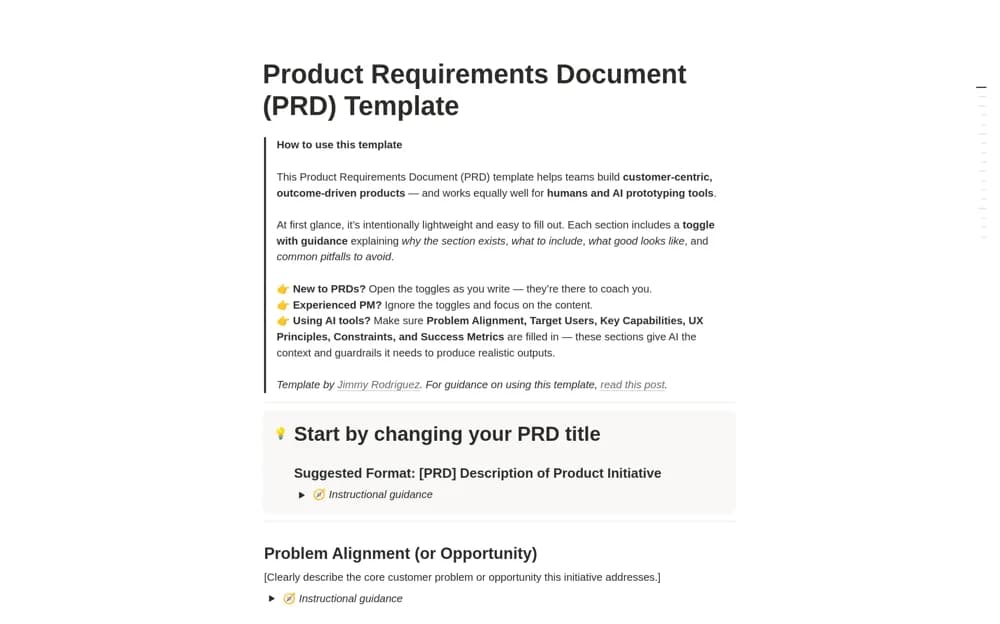
Write a product requirements document in Notion with customer evidence, success measures, scope boundaries, release planning, and optional guidance.
What’s included
- Problem context and supporting evidence
- Target users and success measures
- In-scope and out-of-scope capabilities
- Release constraints, risks, and open questions
How to use it in practice
Describe the customer problem and link the evidence before proposing a solution. Define what success would look like, then separate committed scope from ideas the team is not pursuing. Review constraints and open questions with engineering and design so the document reflects an agreed direction rather than an isolated specification.
Set it up in your workspace
- Open the original Notion Marketplace listing and add the template to your chosen workspace while signed in. Keep its example records until you understand how the pages connect.
- Describe the customer problem and link the evidence before proposing a solution.
- Try one complete example before adding a large backlog. Check that its views and any calculations show what you expect, then replace the sample content with your own.
Who it suits and what to consider
Product managers aligning a team around the problem and intended outcome before implementation. The creator distinguishes this PRD from a technical specification or backlog. Implementation detail and delivery tickets belong in the corresponding engineering workflow.