About Simple Finance Tracker
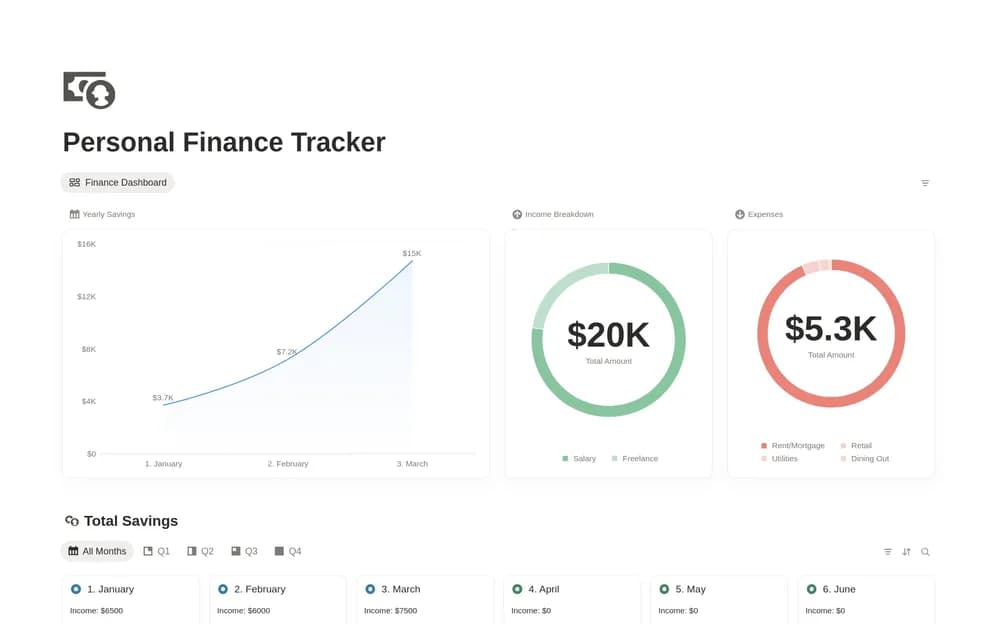
Notion’s Personal Finance Tracker is a free starting point for keeping personal money information in a workspace. The creator destination mentions automations, so read the current setup requirements before relying on automatic entry or an account connection. When comparing the preview, pay attention to reporting periods and the treatment of transfers: moving money between your own accounts should not accidentally look like new income or extra spending. Test a few records you can verify easily. A summary is useful only when you understand which entries it includes and how to correct a mistake.
What’s included
- Income and expense records in Notion’s finance template
- Database automation that updates an entry’s date
- Prompts related to setting aside tax on relevant income
How to use it in practice
Test the entry flow with a small set of known transactions and inspect how dates are applied. Keep categories consistent and compare the totals with your account records. Review the automation settings before changing the database structure. Treat any tax-related prompt as a reminder to follow the rules appropriate to your own income and location.
Set it up in your workspace
- Open the original Notion Marketplace listing and add the template to your chosen workspace while signed in. Keep its example records until you understand how the pages connect.
- Enter a small sample for one month, including a transfer. Compare the totals with your original records and review any automation requirements.
- Try one complete example before adding a large backlog. Check that its views and any calculations show what you expect, then replace the sample content with your own.
Who it suits and what to consider
People who want a consistent routine for reviewing money records. A fit for people interested in Notion’s database automations. The listing’s AI and automation labels may involve current workspace-plan requirements, so check the Marketplace description before choosing it for those features.