About Simple finance tracker (card&subscription)
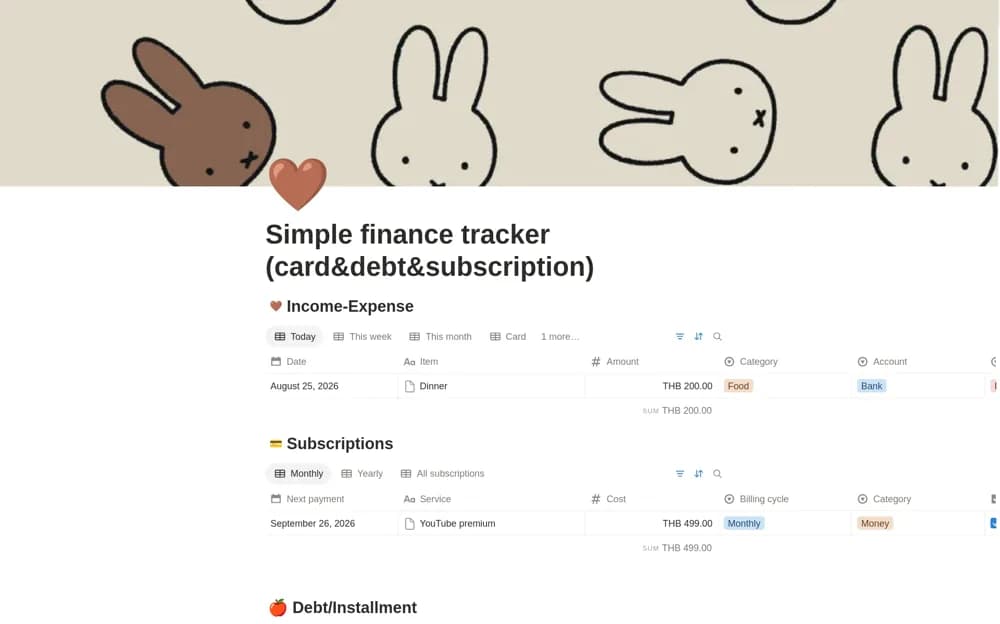
A phone-oriented personal finance tracker combining cards, subscriptions, installments, and time-based summaries.
What’s included
- Card tracking
- Subscription and installment organization
- Daily, weekly, and monthly summary views
How to use it in practice
Enter a few recent records and check how they appear in each time view. Reconcile subscriptions and installment details with current provider statements. Test the mobile workflow before adding a larger history, keeping private account information restricted.
Set it up in your workspace
- Open the original Notion Marketplace listing and add the template to your chosen workspace while signed in. Keep its example records until you understand how the pages connect.
- Enter a few recent records and check how they appear in each time view.
- Try one complete example before adding a large backlog. Check that its views and any calculations show what you expect, then replace the sample content with your own.
Who it suits and what to consider
People organizing a small set of recurring and card-related financial records. The short source description does not establish bank synchronization or the full scope of its calculations.