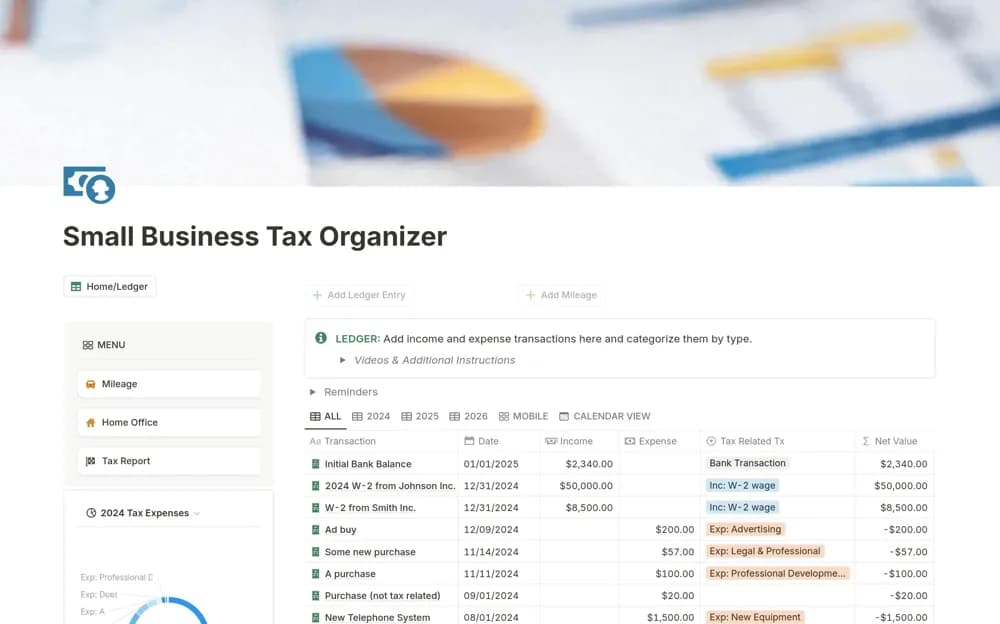
About Small Business Tax Organizer
A small-business record organizer for income, expense categories, home-office costs, mileage, and summary reporting.
What’s included
- Income and expense categorization
- Home-office expense and mileage tracking
- A summary report and embedded demonstration videos
How to use it in practice
Use current source records and agree categories with the person responsible for your tax reporting. Check a small period against statements and retain supporting documents. Review the template’s examples against current rules and your jurisdiction before using any summary in a filing process.
Set it up in your workspace
- Open the original Notion Marketplace listing and add the template to your chosen workspace while signed in. Keep its example records until you understand how the pages connect.
- Use current source records and agree categories with the person responsible for your tax reporting.
- Try one complete example before adding a large backlog. Check that its views and any calculations show what you expect, then replace the sample content with your own.
Who it suits and what to consider
Business owners preparing organized records for a tax professional’s review. The creator’s tax-category claims do not establish current deductibility, filing accuracy, or suitability outside its intended context.