About Tutor Lesson Log
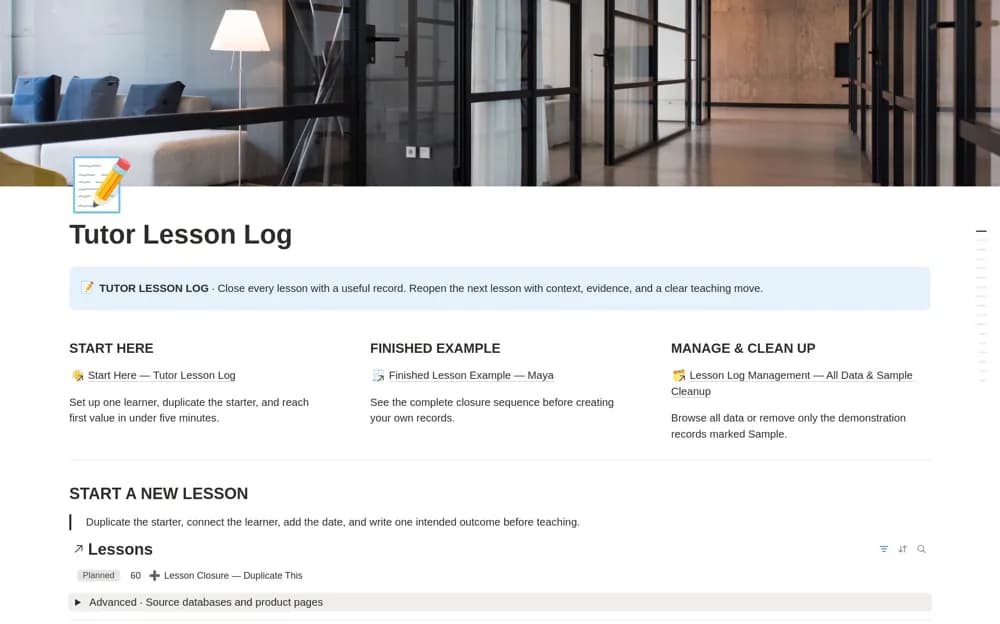
A tutoring continuity system connecting learner profiles, lesson outcomes, progress evidence, homework, and the next teaching step.
What’s included
- Connected learner profiles
- Structured lessons with outcomes, evidence, and learning friction
- Homework, tutor preparation, continuity summaries, and focused workflow views
How to use it in practice
Start with a learner goal and one lesson’s intended outcome. Record observable evidence and unresolved misconceptions, then choose the next teaching step. Keep notes concise and appropriate, reviewing access and institutional requirements before storing identifiable learner information.
Set it up in your workspace
- Open the original Notion Marketplace listing and add the template to your chosen workspace while signed in. Keep its example records until you understand how the pages connect.
- Start with a learner goal and one lesson’s intended outcome.
- Try one complete example before adding a large backlog. Check that its views and any calculations show what you expect, then replace the sample content with your own.
Who it suits and what to consider
Independent tutors keeping useful context between recurring lessons. The template organizes teaching judgments; a completed form does not independently demonstrate learning.