About Ultimate Career Planner
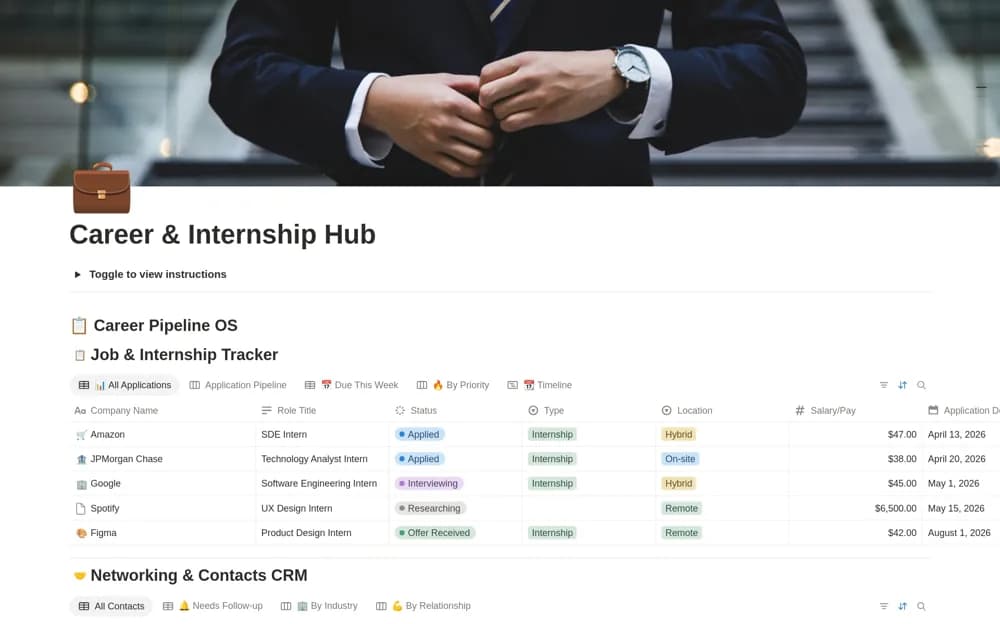
A career dashboard linking applications, networking contacts, current documents, interview practice, and a weekly review.
What’s included
- Job and internship pipeline with deadlines
- Networking CRM and document gallery
- Interview-preparation bank and weekly career checklist
How to use it in practice
Add a few target roles and link the document version used for each application. Record the next follow-up and practice questions relevant to the actual interview. Use the weekly review to choose a manageable next step rather than treating a larger application count as the goal.
Set it up in your workspace
- Open the original Notion Marketplace listing and add the template to your chosen workspace while signed in. Keep its example records until you understand how the pages connect.
- Add a few target roles and link the document version used for each application.
- Try one complete example before adding a large backlog. Check that its views and any calculations show what you expect, then replace the sample content with your own.
Who it suits and what to consider
Job seekers and career advisers organizing a practical application routine. The workspace supports organization; the source does not establish application submission or employment outcomes.