About Weekly Meal Planner with Meals Library & Grocery List
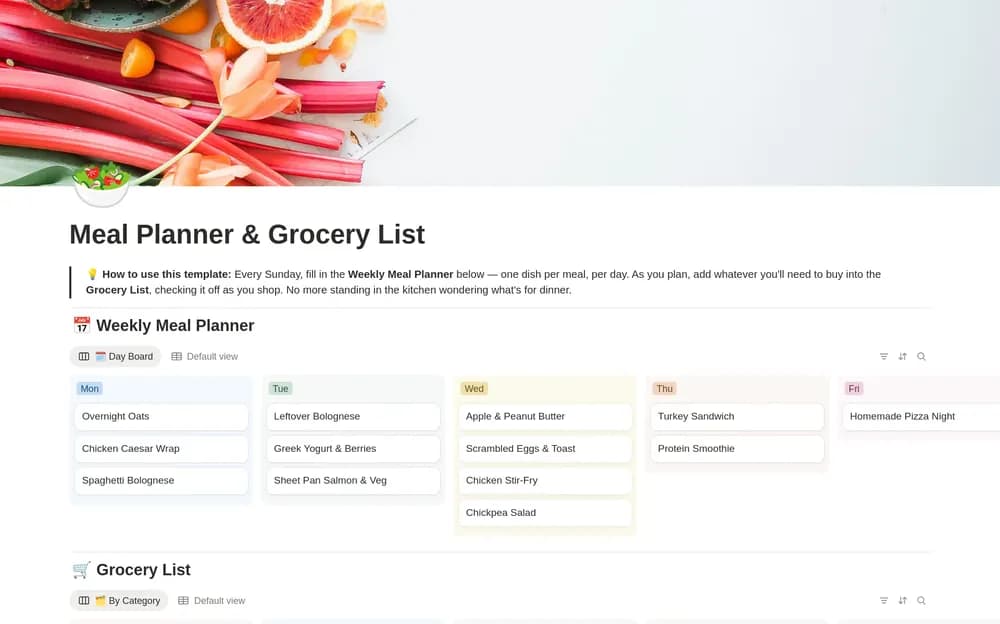
Plan the week’s meals from a reusable Notion meals library, generate a grocery list from the plan, and clear everything with one button each week.
What’s included
- Dashboard with weekly meals, groceries, and meal snapshot
- Weekly meal plan
- Meals library for reusable recipes and ideas
- Grocery list generated from planned meals with shopping, cooking, and household views
- Clear buttons to reset the plan and list, plus video guides
How to use it in practice
Watch the short setup videos, then add eight to ten meals you already cook to the meals library. Plan the coming week from that library and check that the grocery list fills in from your choices. Shop using the shopping view and cook from the cooking ingredients view. At the end of the week, press the clear buttons and plan again to test the reset.
Set it up in your workspace
- Open the original Notion Marketplace listing and add the template to your chosen workspace while signed in. Keep its example records until you understand how the pages connect.
- Watch the short setup videos, then add eight to ten meals you already cook to the meals library.
- Try one complete example before adding a large backlog. Check that its views and any calculations show what you expect, then replace the sample content with your own.
Who it suits and what to consider
Individuals, couples, and shared households who want light, repeatable meal planning without heavy tracking. The automatic grocery list likely depends on ingredients being added to each meal in the library. The listing does not mention nutrition or macro tracking.