About 2027 Money Reset: Budget, Debt Payoff & Savings Planner
Reset household finances for 2027 in Notion with a needs-and-wants budget, rolling bill dates, debt payoff views, savings goals, and a year review.
What’s included
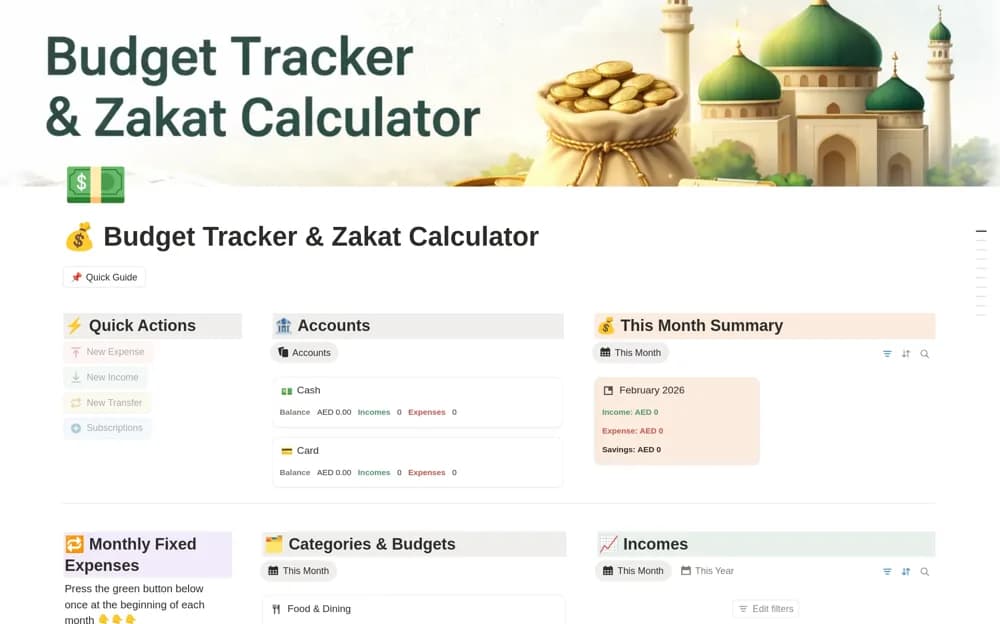
- Monthly budget grouped by needs, wants, savings, and debt
- Bills and subscriptions with rolling due dates and a keep-or-cancel audit
- Snowball and avalanche debt payoff views
- Savings goals with monthly targets
- Matching Google Sheets and Excel planner
How to use it in practice
Set up your budget categories and enter a week of transactions with the quick-add buttons. Add recurring bills and subscriptions and mark each one keep, review, or cancel. Enter your debts to compare the snowball and avalanche views. End the week by checking which categories are at or over their limit.
Set it up in your workspace
- Follow the original creator’s checkout or access instructions to obtain the Notion page. Open that page while signed in, then duplicate it into the workspace you want to use.
- Set up your budget categories and enter a week of transactions with the quick-add buttons.
- Try one complete example before adding a large backlog. Check that its views and any calculations show what you expect, then replace the sample content with your own.
Who it suits and what to consider
Individuals and households planning a fresh budget, debt payoff, and savings plan for the new year. Debt figures are estimates that assume fixed interest rates, and only one chart works on Notion’s free plan. Transactions are entered by hand.