About Aesthetic Weekly Planner
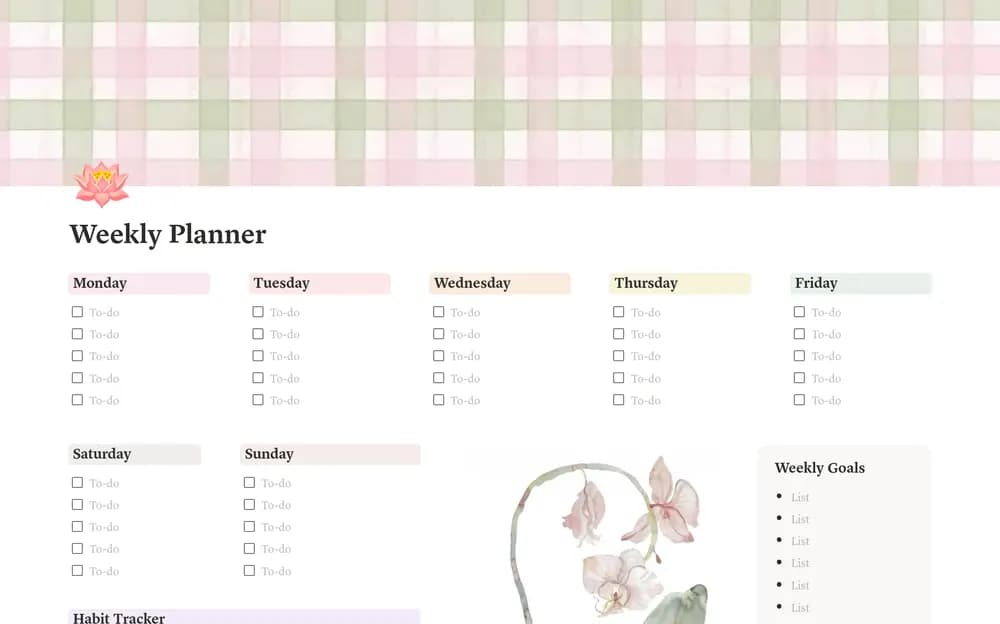
Plan the week in Notion with a monthly overview, weekly goals, daily to-do blocks, a task tracker, and a habit tracker under floral watercolor covers.
What’s included
- Monthly calendar overview
- Weekly goals and priorities section
- Daily to-do blocks and a central task tracker
- Habit tracker
- Notes and brain-dump area
How to use it in practice
Set two or three goals for the coming week and add the dates that matter to the monthly overview. Move current errands and pending tasks into the tracker, then use the daily blocks for what you will actually do each day. Tick off habits each evening and review the brain dump at the end of the week to see what deserves a task.
Set it up in your workspace
- Open the original Notion Marketplace listing and add the template to your chosen workspace while signed in. Keep its example records until you understand how the pages connect.
- Set two or three goals for the coming week and add the dates that matter to the monthly overview.
- Try one complete example before adding a large backlog. Check that its views and any calculations show what you expect, then replace the sample content with your own.
Who it suits and what to consider
People who want a gentle, decorative weekly planner that still keeps tasks and routines on one page. The weekly page is meant to be duplicated for each new week, so older weeks pile up unless you archive them. The listing mentions receiving a PDF with a link, which reads like copy from another storefront; check what the Notion Marketplace copy includes.