About Assignment & Deadline Tracker
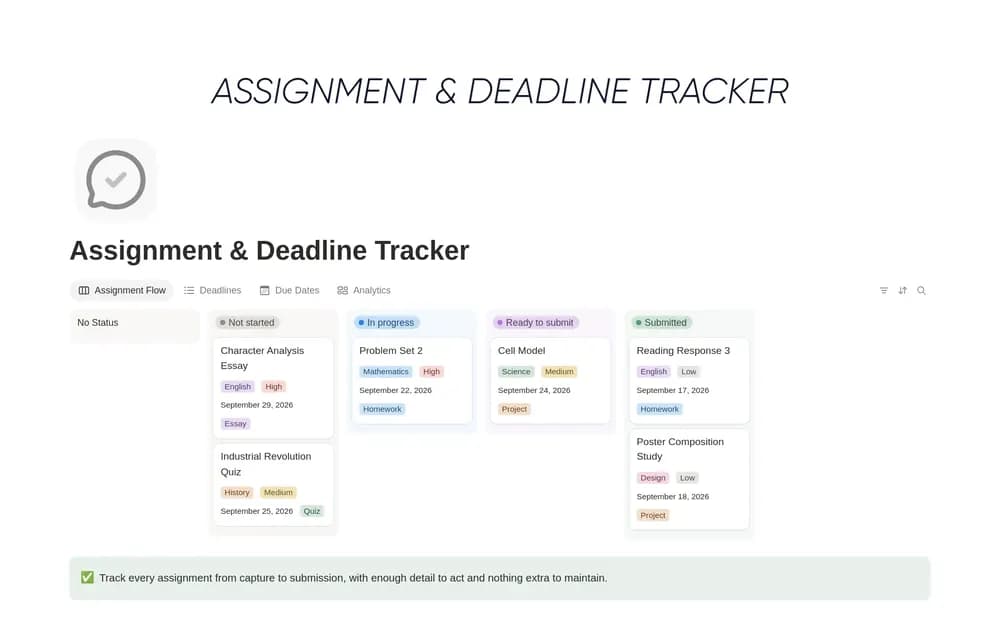
Capture homework, essays, projects, and exams in one Notion database and move each from not started to submitted with course, priority, and due date.
What’s included
- Assignment database for coursework and deadlines
- Course, priority, due date, status, and notes fields
- Views for upcoming deadlines, active work, and submitted assignments
- Simple capture-to-submission workflow
How to use it in practice
Go through each syllabus and class portal and enter every assignment due in the next two weeks. Set priority and status, then open the upcoming deadlines view each morning. Mark work as submitted when you turn it in, and at the end of the week check whether anything was missed or entered late.
Set it up in your workspace
- Open the original Notion Marketplace listing and add the template to your chosen workspace while signed in. Keep its example records until you understand how the pages connect.
- Go through each syllabus and class portal and enter every assignment due in the next two weeks.
- Try one complete example before adding a large backlog. Check that its views and any calculations show what you expect, then replace the sample content with your own.
Who it suits and what to consider
High school, college, and university students juggling deadlines from several sources. Assignments must be copied in manually; the listing does not mention importing from Canvas, Google Classroom, or other portals. Grade tracking is not described.