About Simple Assignment & Homework Tracker
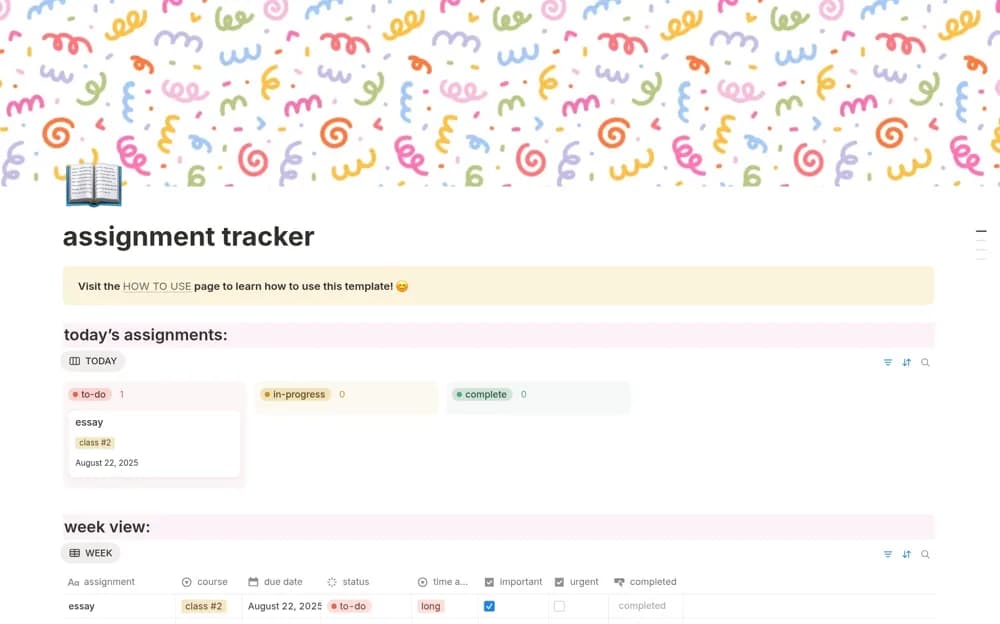
A deadline-first assignment tracker with near-term views and an urgency-and-importance prioritization matrix.
What’s included
- Due-soon, weekly, and monthly assignment views
- Urgent and important task markers
- Editable courses, timeframes, banners, and icons
How to use it in practice
Enter confirmed deadlines for the coming weeks and break a large assignment into practical work. Use the matrix to protect time for important preparation before it becomes urgent. Review the following week as well as the nearest deadline so long tasks do not disappear behind short ones.
Set it up in your workspace
- Open the original Notion Marketplace listing and add the template to your chosen workspace while signed in. Keep its example records until you understand how the pages connect.
- Enter confirmed deadlines for the coming weeks and break a large assignment into practical work.
- Try one complete example before adding a large backlog. Check that its views and any calculations show what you expect, then replace the sample content with your own.
Who it suits and what to consider
Students who want to plan coursework by what is due next. Use your institution’s official requirements as the reference when entering dates and submission details.