About CFO Cash Flow & Liquidity Tracker
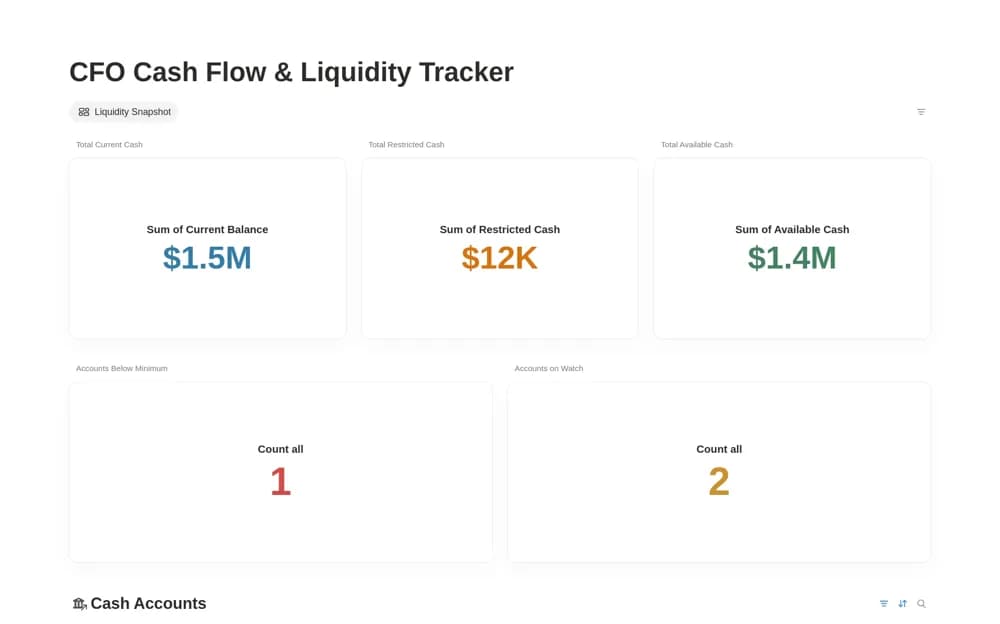
Monitor company cash in Notion with account and movement records, a liquidity snapshot, alert views, and cash-flow charts.
What’s included
- Cash-account database
- Cash inflow and outflow records
- Liquidity snapshot and alert views
- Cash-flow charts
How to use it in practice
Add the company accounts you want to monitor and establish the date of your starting balances. Record a small batch of cash movements, then compare the snapshot with the bank records. Review the alert view and investigate discrepancies before relying on the chart for a finance discussion.
Set it up in your workspace
- Open the original Notion Marketplace listing and add the template to your chosen workspace while signed in. Keep its example records until you understand how the pages connect.
- Add the company accounts you want to monitor and establish the date of your starting balances.
- Try one complete example before adding a large backlog. Check that its views and any calculations show what you expect, then replace the sample content with your own.
Who it suits and what to consider
Finance teams and founders reviewing available cash and recorded inflows and outflows. Bank-feed imports and a formal accounting ledger are not documented. Keep the underlying records current and validate the snapshot against your source accounts.