About Code Chronicles: Learn, Code, and Conquer
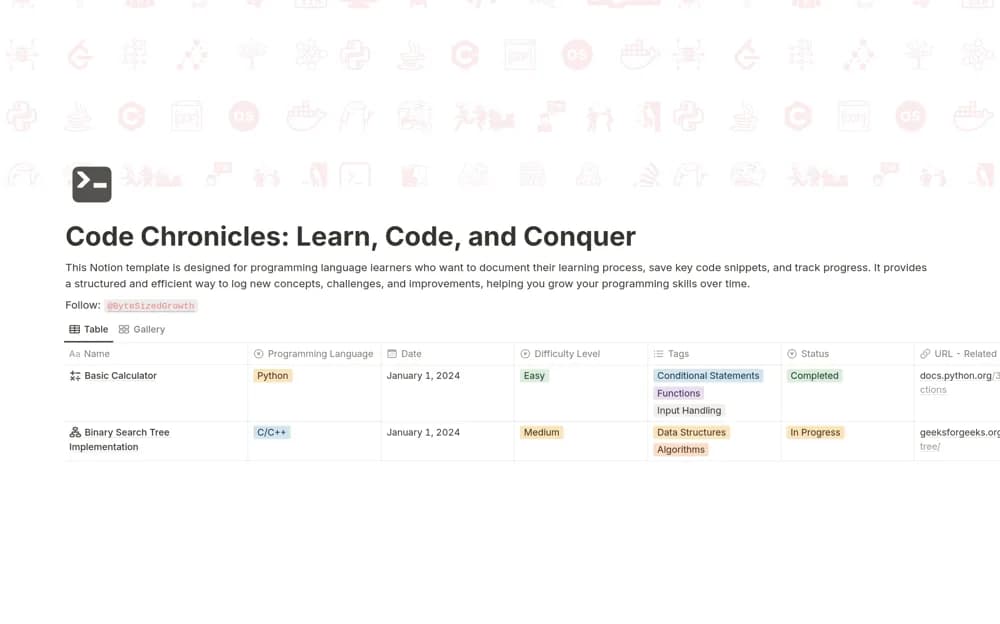
A coding-study tracker connecting projects, saved snippets, language, concepts, difficulty, notes, and progress states so practice work can be reviewed and revisited.
What’s included
- Coding projects and reusable snippets
- Language, concept, date, and difficulty fields
- In Progress, Completed, and Needs Revision statuses
How to use it in practice
Add a recent exercise with the concept practiced and the part that was difficult. Save a small reusable snippet with an explanation, then mark any unfinished understanding for revision. Review a completed project later without its solution open to check what you can now explain or rebuild independently.
Set it up in your workspace
- Open the original Notion Marketplace listing and add the template to your chosen workspace while signed in. Keep its example records until you understand how the pages connect.
- Add a recent exercise with the concept practiced and the part that was difficult.
- Try one complete example before adding a large backlog. Check that its views and any calculations show what you expect, then replace the sample content with your own.
Who it suits and what to consider
Learners and developers organizing coding exercises and the lessons learned from them. The workspace organizes learning evidence. It does not run code, assess correctness, or establish that completing a project proves mastery of the underlying concept.