About Code Snippet Library
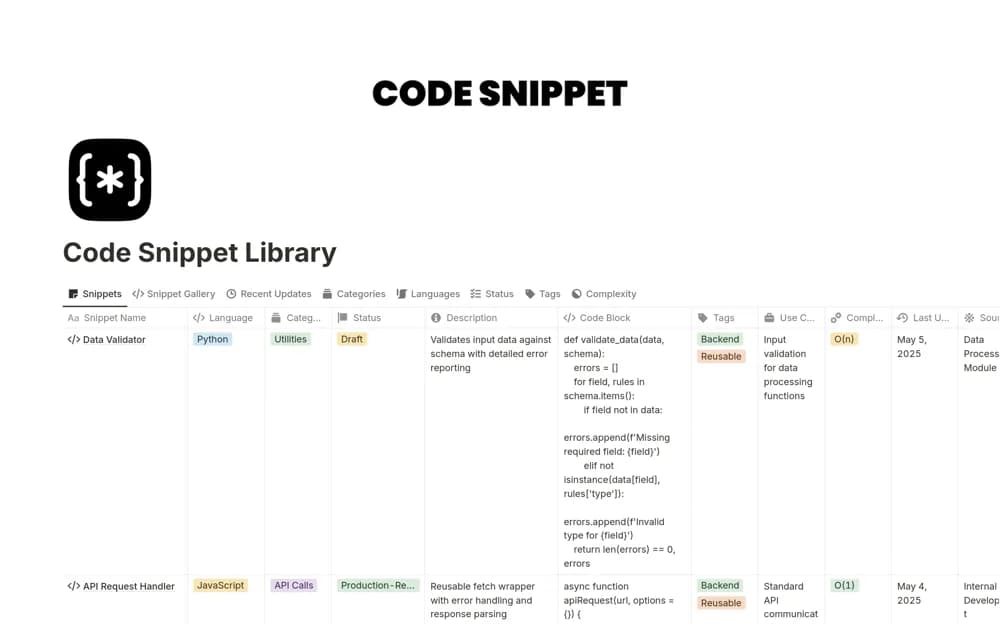
Save reusable code in Notion with language and purpose tags, usage context, example outputs, and maintenance notes for older snippets.
What’s included
- Language, complexity, and purpose organization
- Explanations and example outputs
- Last-used and deprecated-code tracking
- Version-history notes
How to use it in practice
Save one snippet you have already used successfully and explain the environment it expects. Add its language, purpose, and an example result. When you reuse or revise it, update the maintenance notes so an older solution does not quietly become your default reference.
Set it up in your workspace
- Open the original Notion Marketplace listing and add the template to your chosen workspace while signed in. Keep its example records until you understand how the pages connect.
- Save one snippet you have already used successfully and explain the environment it expects.
- Try one complete example before adding a large backlog. Check that its views and any calculations show what you expect, then replace the sample content with your own.
Who it suits and what to consider
Developers and programming students building a documented library of frequently reused code. Notion stores the documentation. It is not a code runner, automated test suite, or replacement for source control.