About Code snippet tracker
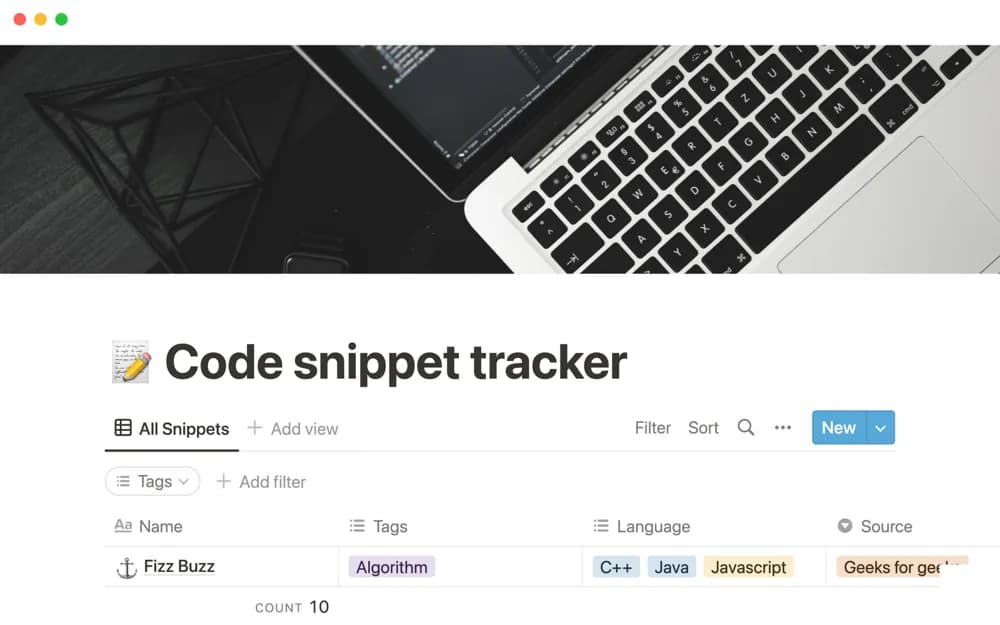
A small code-snippet library for saving your own examples or material found online, organized by custom tags and language with an external source URL for context.
What’s included
- Code-snippet records
- Custom tags and programming language
- External context or source URL
How to use it in practice
Save a snippet you have actually used and include the problem it solves in the surrounding notes. Add the language and original source link, then test whether you can find it again using the tags. Keep dependencies and version assumptions visible so a useful example does not become a misleading copy-and-paste shortcut.
Set it up in your workspace
- Open the original Notion Marketplace listing and add the template to your chosen workspace while signed in. Keep its example records until you understand how the pages connect.
- Save a snippet you have actually used and include the problem it solves in the surrounding notes.
- Try one complete example before adding a large backlog. Check that its views and any calculations show what you expect, then replace the sample content with your own.
Who it suits and what to consider
Developers who want a simple reference for reusable examples without a large coding dashboard. The template stores references; it does not execute or validate code. Preserve source attribution and review licenses before reusing code found elsewhere.