About Content Planner Notion Template
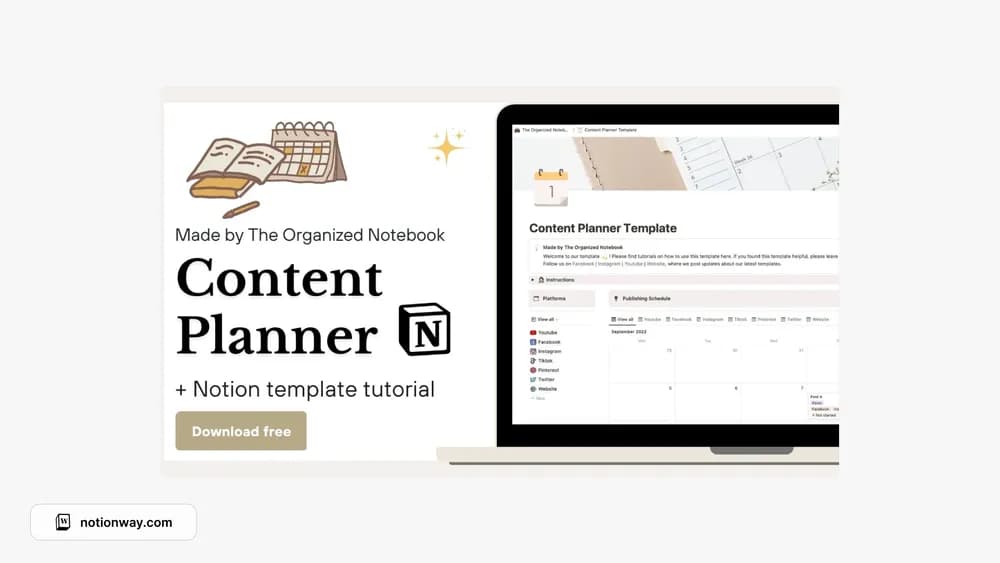
This content planner comes from The Organized Notebook. A planning workspace is most useful when you can see both the idea and what needs to happen next. Look through the preview for the channels and stages you need, then keep the first publishing cycle small.
What’s included
- Two databases supporting platforms and content planning
- Publishing-schedule views, including views by platform
- Brainstorming and a content planner with a monthly task overview
How to use it in practice
Add the platforms you currently publish on and one realistic week of content. Keep ideas in brainstorming until you are ready to commit to production, then use the planner to identify the work still needed. Check the publishing view by platform to spot an uneven schedule. This keeps the calendar grounded in content you can actually finish.
Set it up in your workspace
- Follow the original creator’s checkout or access instructions to obtain the Notion page. Open that page while signed in, then duplicate it into the workspace you want to use.
- Plan three pieces with different deadlines. Try the workflow from idea to finished draft before importing older plans.
- Try one complete example before adding a large backlog. Check that its views and any calculations show what you expect, then replace the sample content with your own.
Who it suits and what to consider
Creators who want an approachable editorial workspace. An approachable option if you want several useful views without a large database system. The creator also provides a tutorial, which is worth following before changing the two-database structure.