About Creative Brief
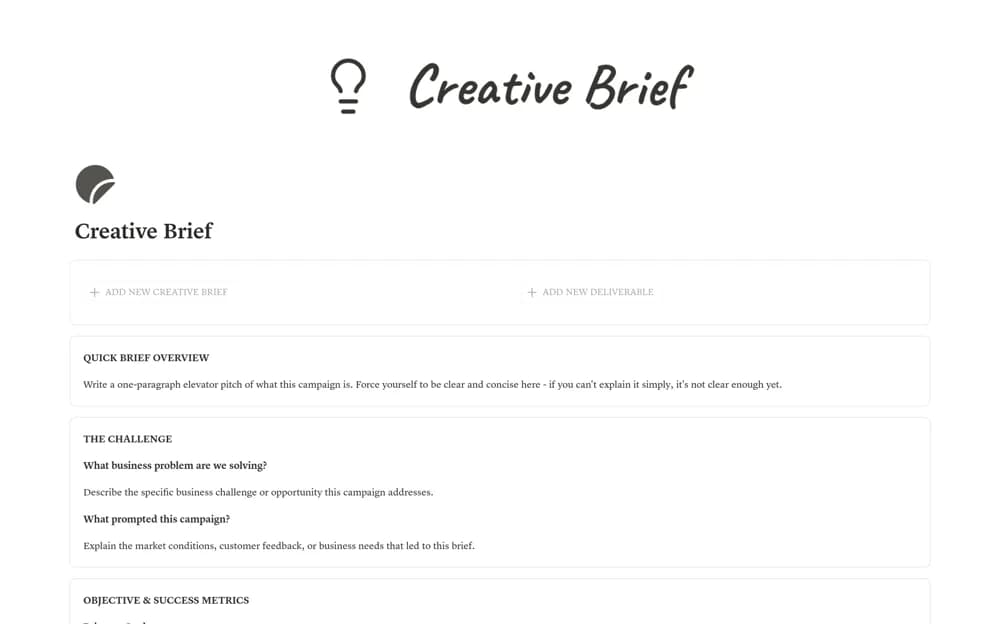
Plan creative campaigns in Notion with objectives, audience profiles, messaging, linked deliverables, and launch or budget progress.
What’s included
- Connected brief and deliverable databases
- Audience, objective, and message sections
- Deliverable owners and deadlines
- Launch countdown and progress formulas
How to use it in practice
Write the campaign objective and target audience before adding creative outputs. Connect each deliverable to an owner and a deadline, then review the message and brand requirements with the approver. Use the progress view to discuss unfinished outputs while checking the underlying brief whenever scope changes.
Set it up in your workspace
- Open the original Notion Marketplace listing and add the template to your chosen workspace while signed in. Keep its example records until you understand how the pages connect.
- Write the campaign objective and target audience before adding creative outputs.
- Try one complete example before adding a large backlog. Check that its views and any calculations show what you expect, then replace the sample content with your own.
Who it suits and what to consider
Marketing teams and graphic designers agreeing on a campaign before production begins. The formulas reflect your entered dates and amounts. Brand approval and a confirmed production budget still need an accountable decision-maker.