About Dashboard: Sustainability Tracker for Businesses
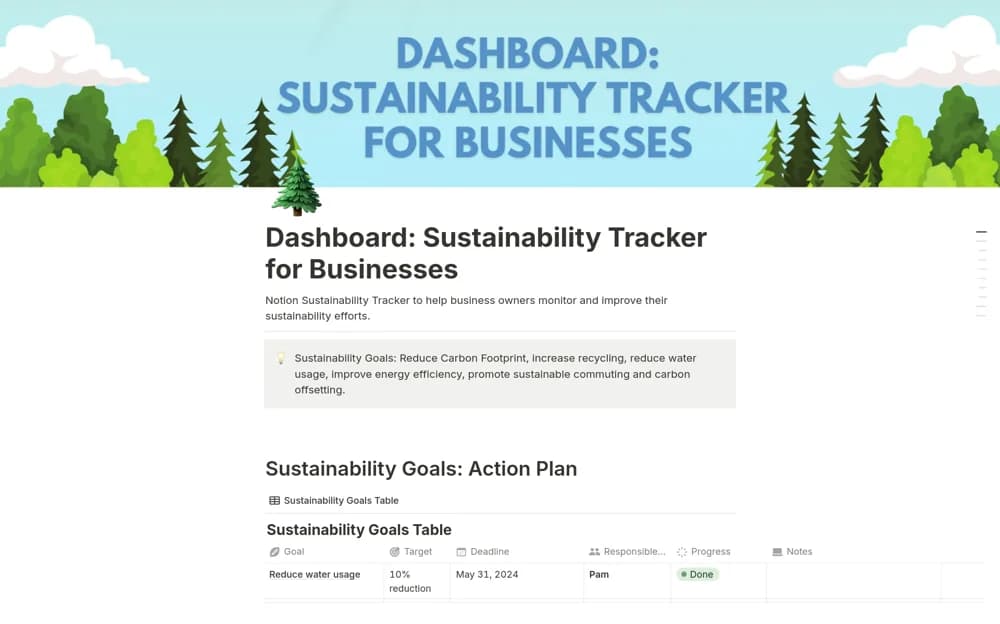
A business sustainability dashboard for recording environmental measures, setting targets, and coordinating team progress reviews.
What’s included
- Environmental-impact measure organization
- Resource-consumption and efficiency targets
- Shared goal and progress-review structure
How to use it in practice
Choose measures with reliable data and define units, scope, and reporting periods. Record a baseline before setting targets, then review results with the team responsible for the activity. Preserve evidence and limitations when communicating progress so the dashboard does not encourage unsupported environmental claims.
Set it up in your workspace
- Open the original Notion Marketplace listing and add the template to your chosen workspace while signed in. Keep its example records until you understand how the pages connect.
- Choose measures with reliable data and define units, scope, and reporting periods.
- Try one complete example before adding a large backlog. Check that its views and any calculations show what you expect, then replace the sample content with your own.
Who it suits and what to consider
Teams organizing a modest set of resource-use and sustainability goals. The source does not establish certified carbon accounting, regulatory reporting, or independent verification.